How to Structure Legal Bots with the Heading Node in e!
Learn how to add and size heading nodes in e! to give your Legal Bot clear section titles — improving user navigation and workflow structure in just 2 steps.
The Heading Node is straightforward and effective. It will allow you to add Headings to the client view of your Bot. Let’s see how to use this node.
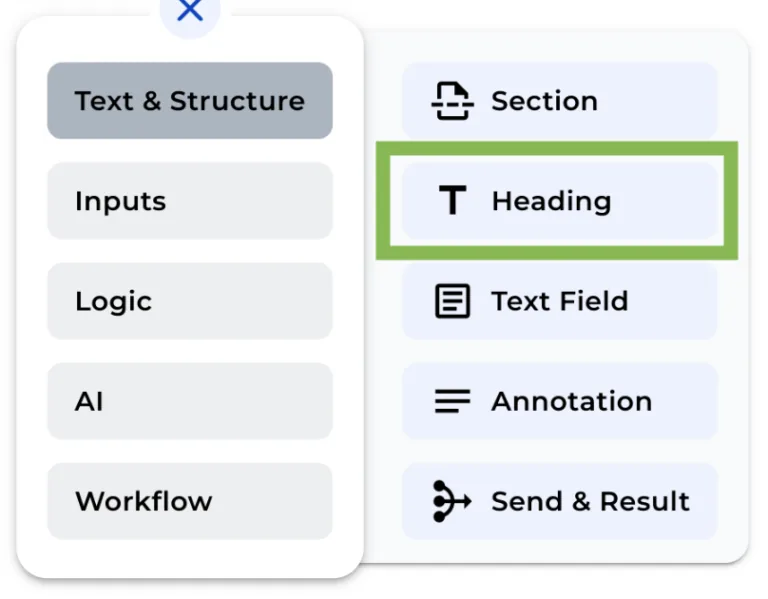
Step 1: Input the Heading Text
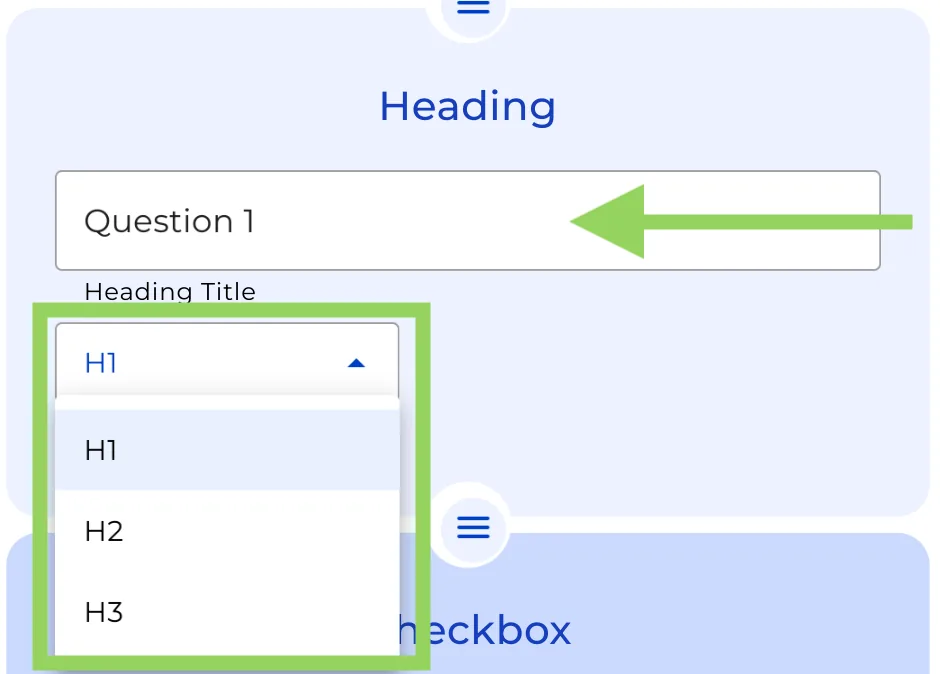
Type in the text you want to display as a heading.
Step 2: Select the Heading Size
Choose the desired size for your heading text.
To view your newly added Heading from the client’s perspective, click the “Preview” button.
That’s all you need to do! And remember that the more Headings you add to your Bot’s structure the better readability will have.