Business Partner Check: Automated Risk Assessment from the Commercial Register
Pulling data from the commercial register and evaluating it by hand is a tedious but necessary step in both law firms and legal departments. The Business Partner Check bot retrieves the relevant data directly from the commercial register, fetches the desired register extracts automatically, and produces a structured AI risk report with a traffic-light rating in under two minutes.
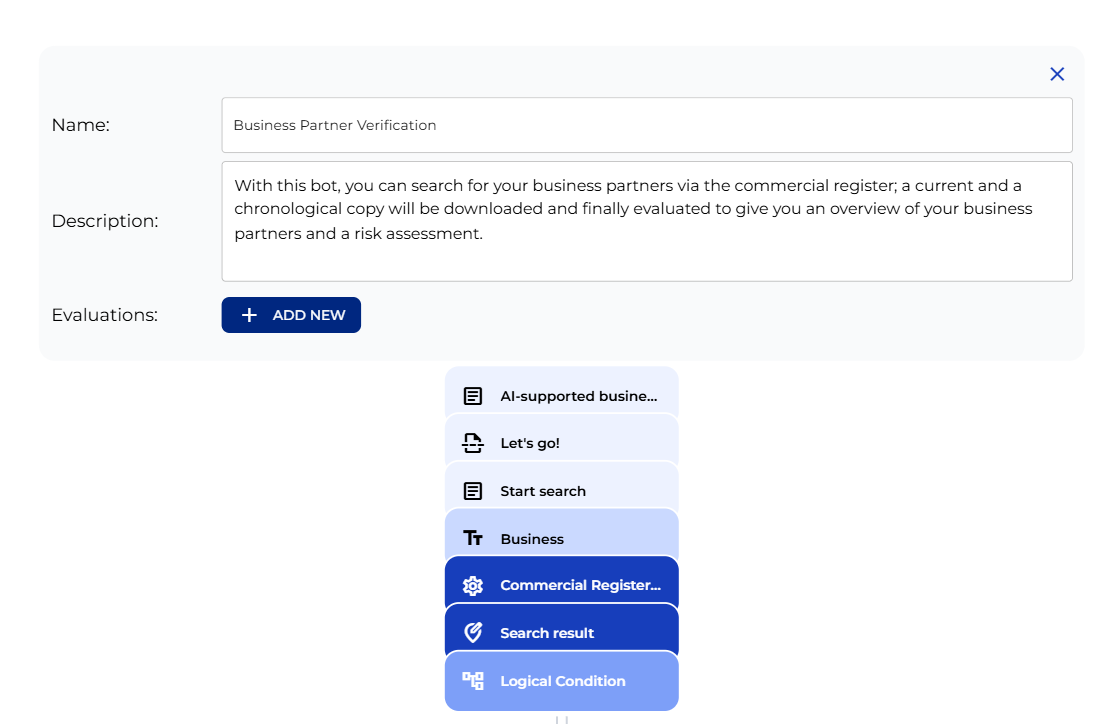
Welcome Panel
The workflow begins with the welcome-text node, which explains the four steps and legal disclaimer, followed by the “Let’s go!” section marker. Next come the “Start search” prompt, the “Business” input field for the company name, the “Commercial Register Search” connector, which sends the request to the register when the user clicks the search button on the front end, the “Search result” mapping, and the logic node that evaluates the result. The welcome node’s text is fully editable: firm name, contact person, or any other compliance notes.
Search Result Logic
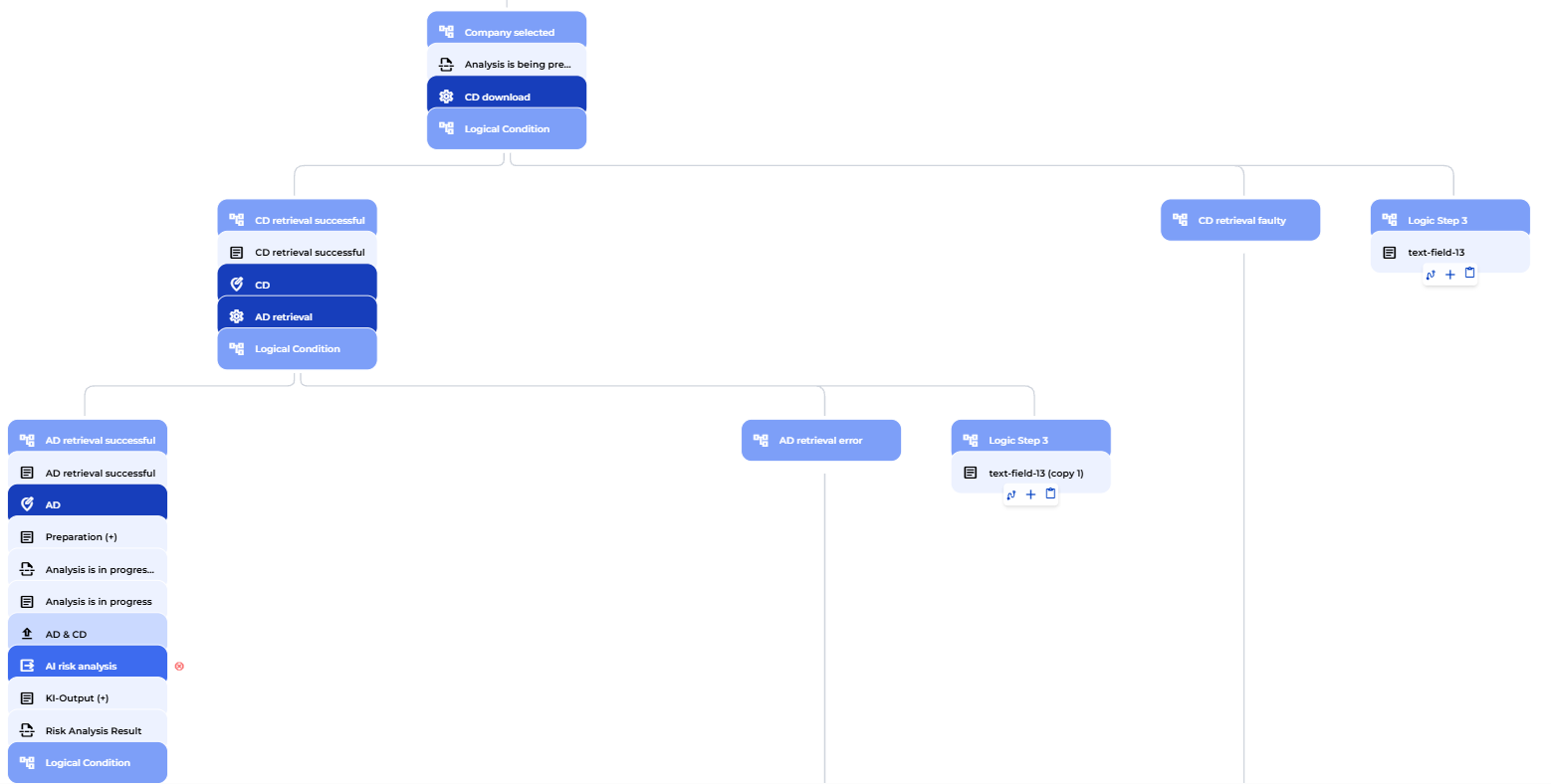
A logic node evaluates the search result in three branches: on success (a non-empty result), the process continues to company selection; on an empty result, a red panel invites the user to start a new search; on an error (the commercial register interface returns a 400 status), a second red panel offers a restart.

In case of an empty result or an error, the flow doesn’t dead-end: a reference node sends the process back to the start of the search step, so the user can immediately try again. The connector endpoint is where you adjust the API key.

Company Selection and Document Retrieval
Results appear in a table with company name, registration number, and registered seat. A logic node downstream only releases the process once a selection is confirmed.
The moment a company is selected, the chronological extract request fires automatically. A logic node checks the result: if the download succeeds, the document is stored and the current extract request triggers immediately after. A faulty response routes to an error panel; a slow response shows a patience message to the user. Once both documents are stored as PDFs, the workflow moves to the preparation complete screen and hands them off to the AI step.
AI Risk Analysis
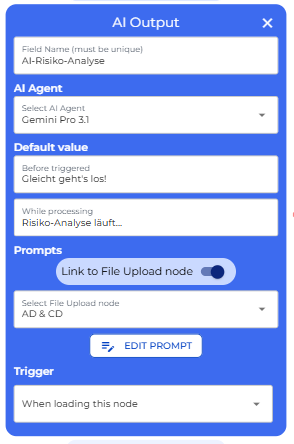
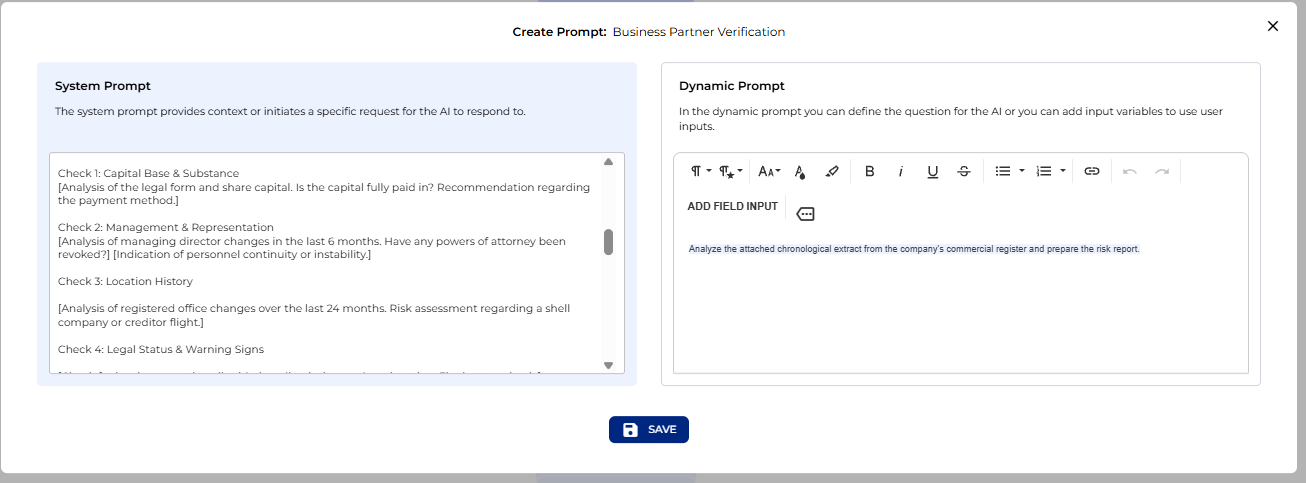
Both documents are passed to the AI analysis step as a shared knowledge base. The AI works in the role of an experienced risk auditor and examines four areas:
- Capital base: legal form, registered share capital, and payment status
- Management continuity: director changes and signatory authorisations revoked over the past six months
- Location history: seat relocations in the last 24 months and any letterbox risk pattern
- Legal signals: insolvency filings, liquidation, dissolution orders, or administrative deletions
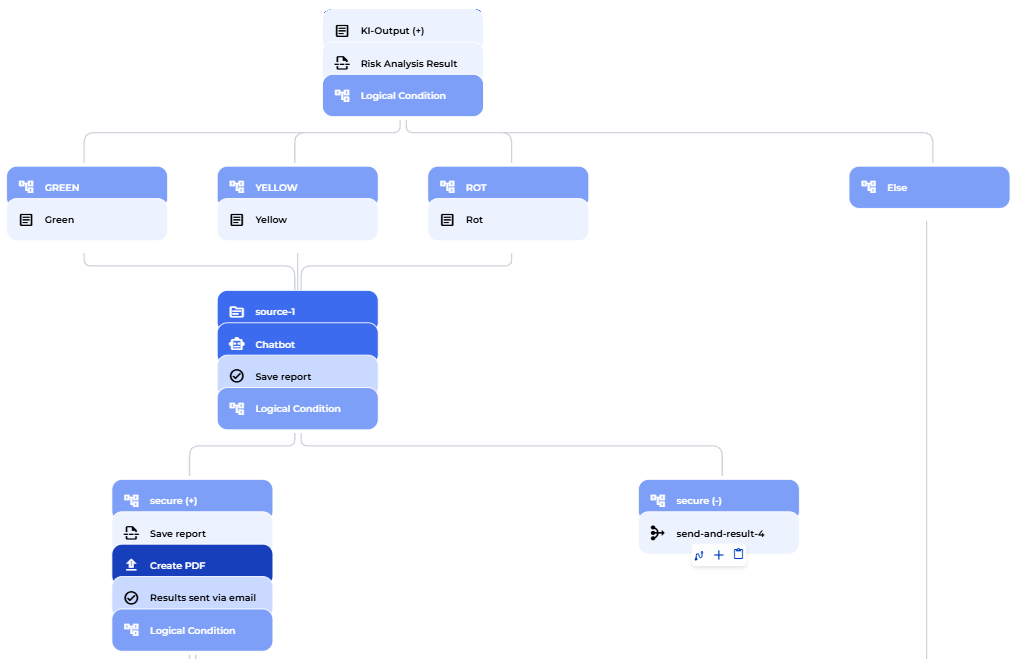
The output is an HTML report with a traffic-light system: low, medium, or high risk. A logic node reads the result and routes the user to the correct result panel. The system prompt is fully editable: add your own thresholds, industry flags, or additional criteria.
Result Display and Chatbot
The result appears in the corresponding colour: green for low risk, yellow for medium, red for high, with all four checks in a table. A source node shows the documents used for direct traceability. Below that, an AI chatbot opens automatically in the role of a risk analyst. The system prompt is deliberately kept lean so you can extend it with your own standards and knowledge.
Save and Email Export
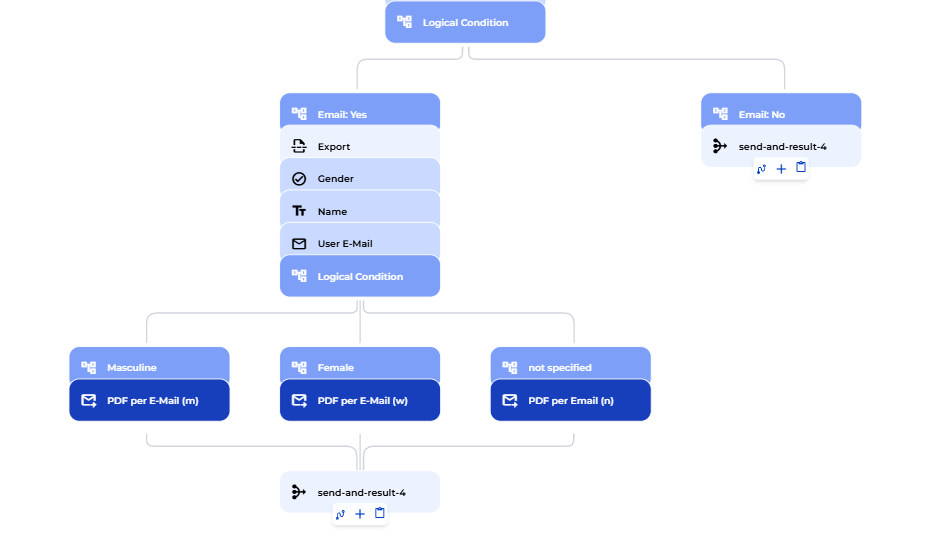
The user is asked whether to save the report as a PDF. Yes triggers an immediate PDF. The bot then asks whether to send the result by email. If yes, the user provides salutation, name, and email address. Each email attaches the PDF plus both register extracts. The reply-to address is configurable. Declining either question ends the flow cleanly on a completion screen.