Section Node: Structure & Organise Legal Bots in e!
Use the Section node in e! to divide your legal bot into named stages — structure complex workflows and guide clients through multi-part legal forms with ease.
The Section Node is a valuable tool for organizing your Bot in the Canvas and frontend views. By grouping input fields together in a single view, the Section Node simplifies navigation for clients using the Bot, requiring them to click “Next” to proceed through the front end.
In this tutorial, we’ll walk you through the process of adding and configuring a Section Node.
Step 1: Add the Section Node to Your Bot
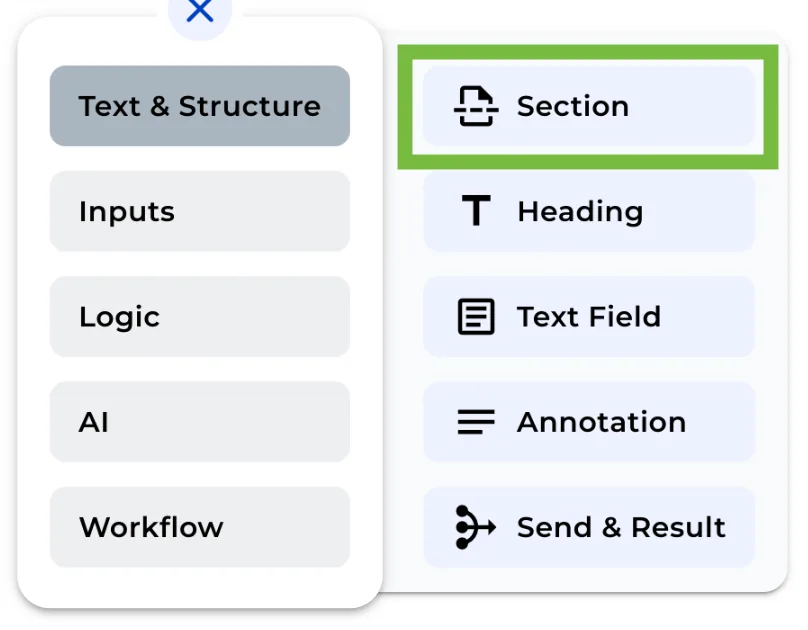
Click on the “+” menu and click over Section Node to include it in your Bot.
Step 2: Name the Section
You have the option to assign a name to the section for better organization.
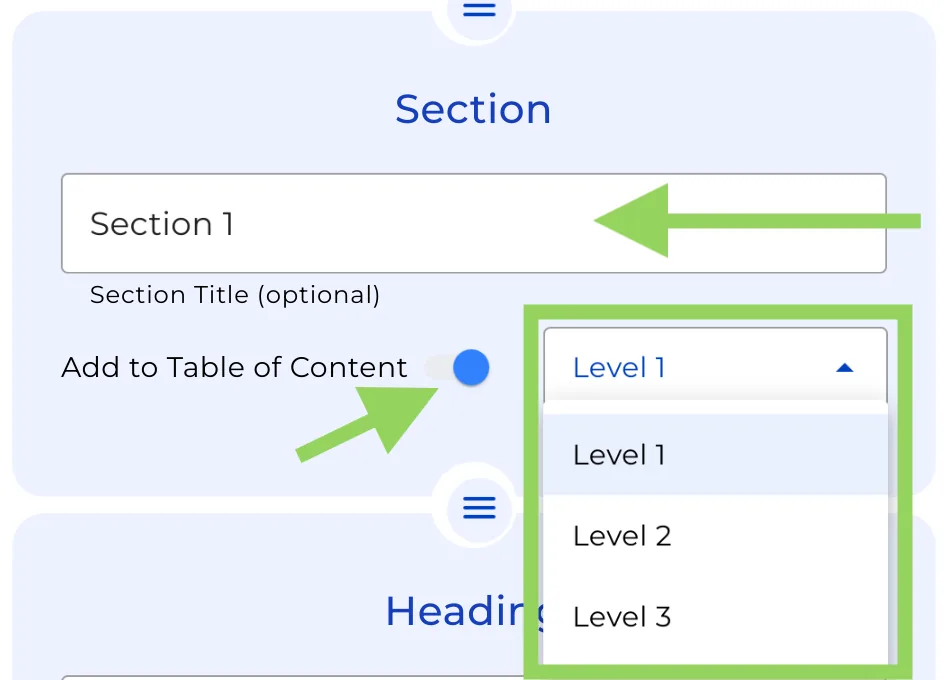
Step 3: Enable the Table of Content Option
If you want to include a side menu in your client’s view of the bot, switch on the “Table of Content” option, and select the appropriate hierarchy for this section.
Super easy, right?
Also, remember that you can click “Preview” in the top menu to check the client’s view of the bot and see how the Section Node enhances the overall structure and navigation experience.