Automated VAT Number validation via VIES API
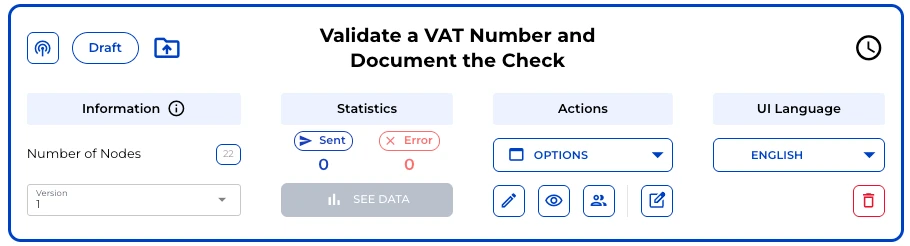
A ready-made bot from the Lexemo bot library checks VAT numbers directly against VIES, shows the result and creates a PDF record for your files.
 See it live
Law firms, in-house legal teams, tax advisors and accounting teams all need to check the VAT numbers of their EU business partners and be able to prove they did. This bot queries the number directly in VIES, the European Commission’s VAT Information Exchange System. The result is a PDF record of what VIES returned at the time of the check. The bot is a ready-made template in the Lexemo bot library and can be used right away, with no build required. See it live
Country and number as separate fields
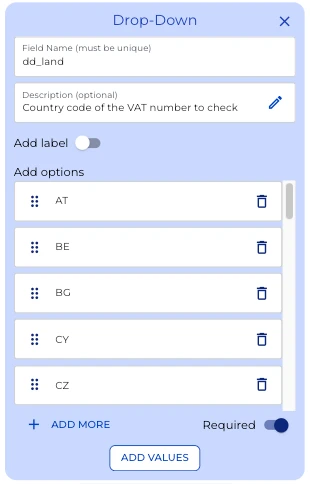
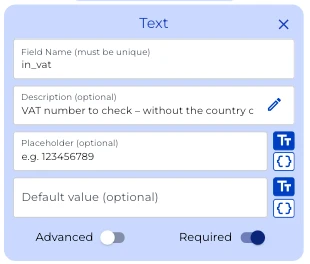
The bot asks for country and number in two required fields. The Drop-Down holds the country codes of the EU member states as a fixed list. The Text field below takes only the number itself, without country code, spaces or separators. Description and placeholder show the expected format right at the field, and Required makes sure no check starts with an empty field.
Optional requester details
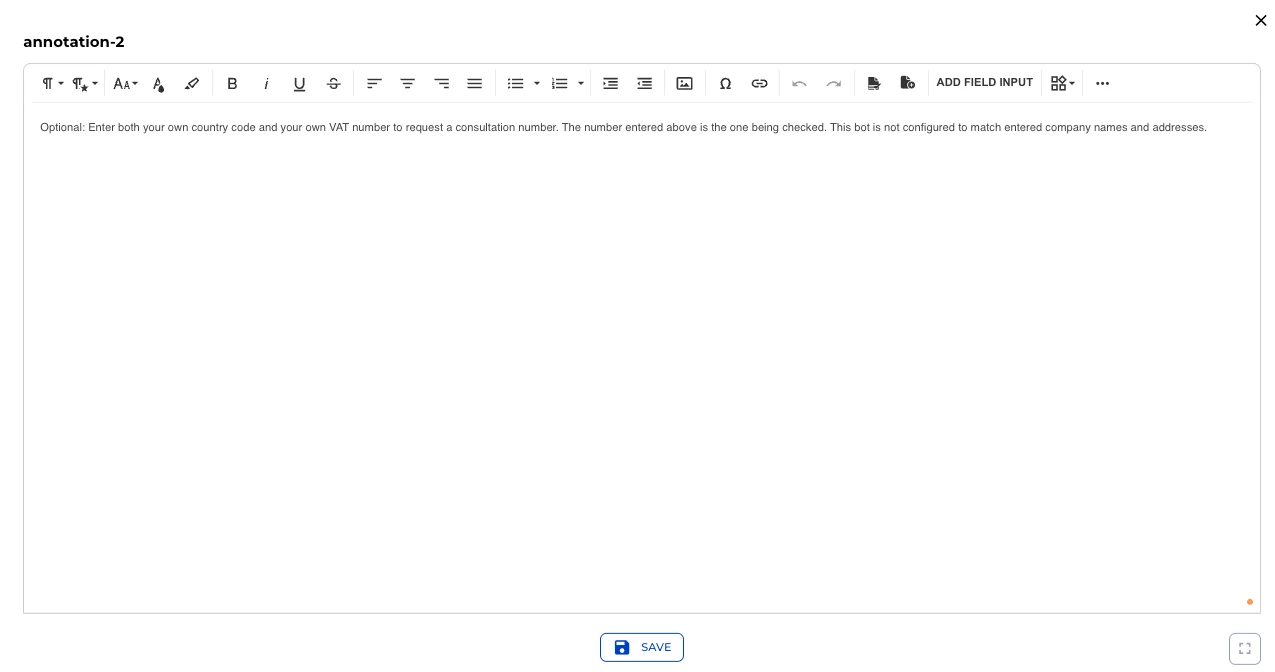
Two further fields are optional: the country code and VAT number of the user’s own company. Entering both lets VIES return a consultation number that can later serve as proof of the check. An Annotation explains this right in the form, shown on hover:
Optional: Enter both your own country code and your own VAT number to request a consultation number. The number entered above is the one being checked. This bot is not configured to match entered company names and addresses.
The request to VIES
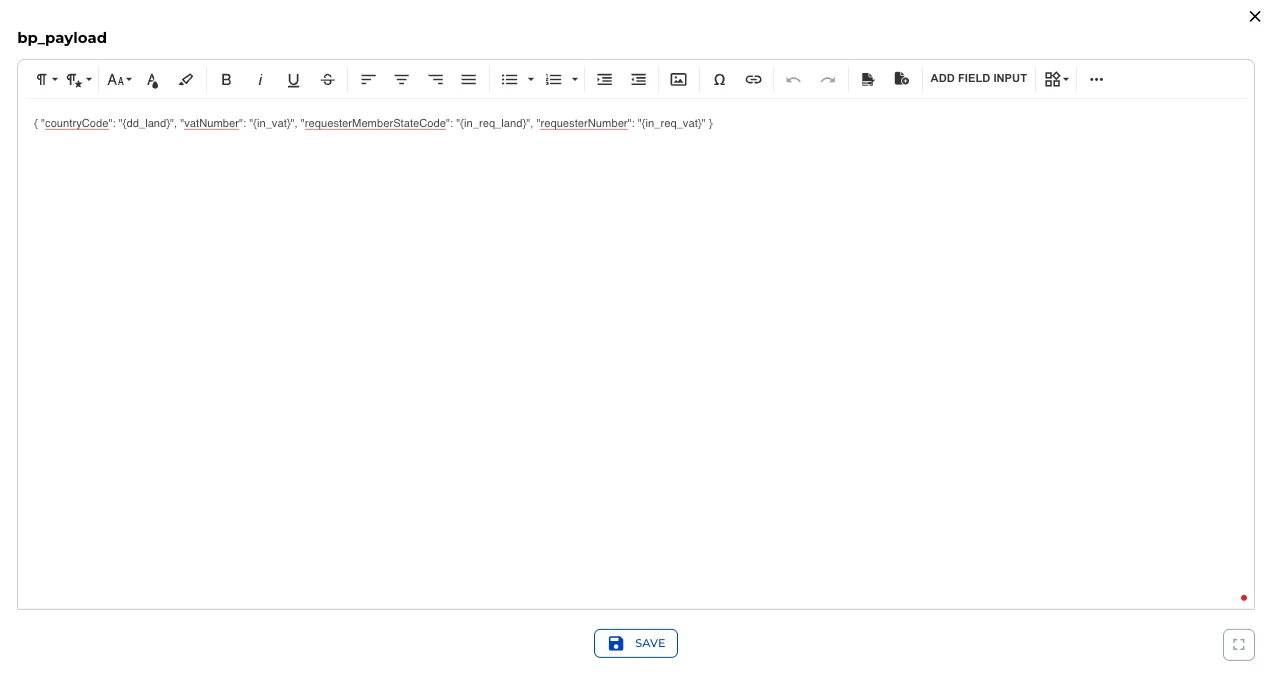
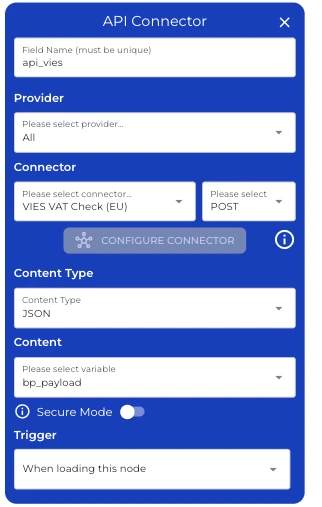
A Boilerplate combines all inputs into one JSON request. The variables in curly brackets point straight to the input fields, so nothing is entered twice:
{ "countryCode": "{dd_land}", "vatNumber": "{in_vat}", "requesterMemberStateCode": "{in_req_land}", "requesterNumber": "{in_req_vat}" }The API Connector sends this request via POST to the VIES VAT Check (EU) connector. Its trigger is set to “When loading this node”: the check starts on its own as soon as the bot reaches this step.
Reading the response
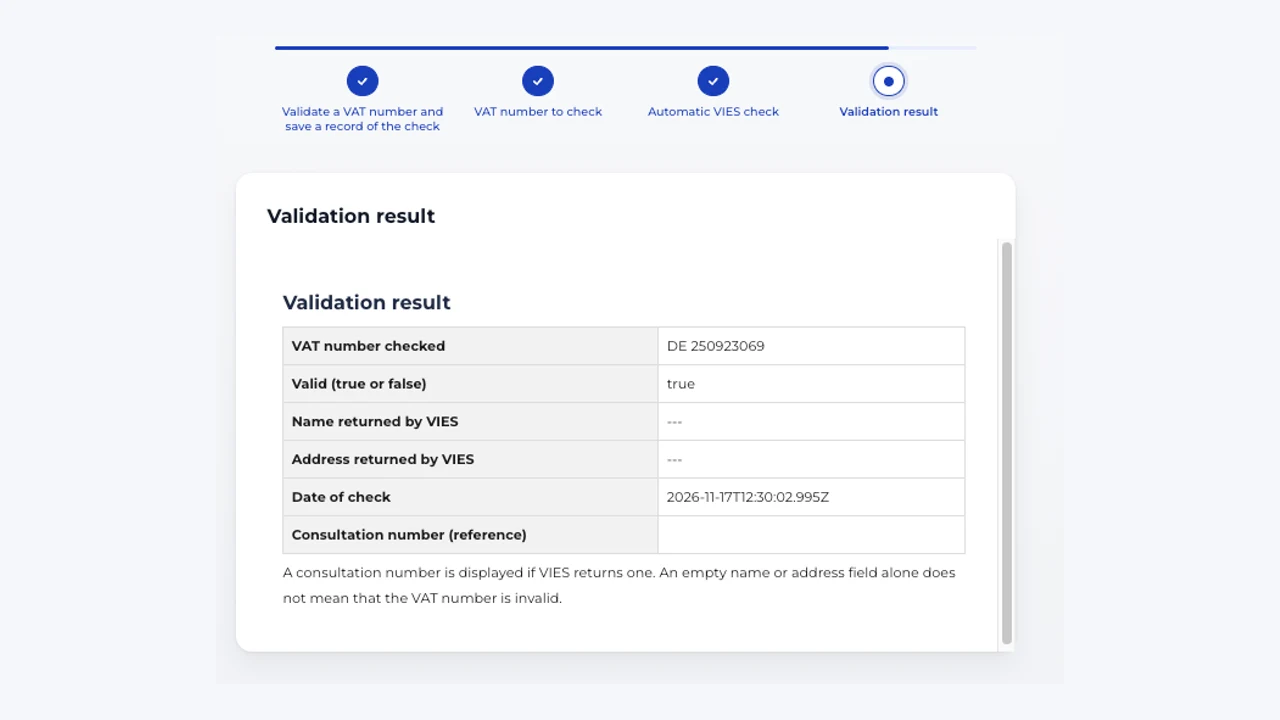
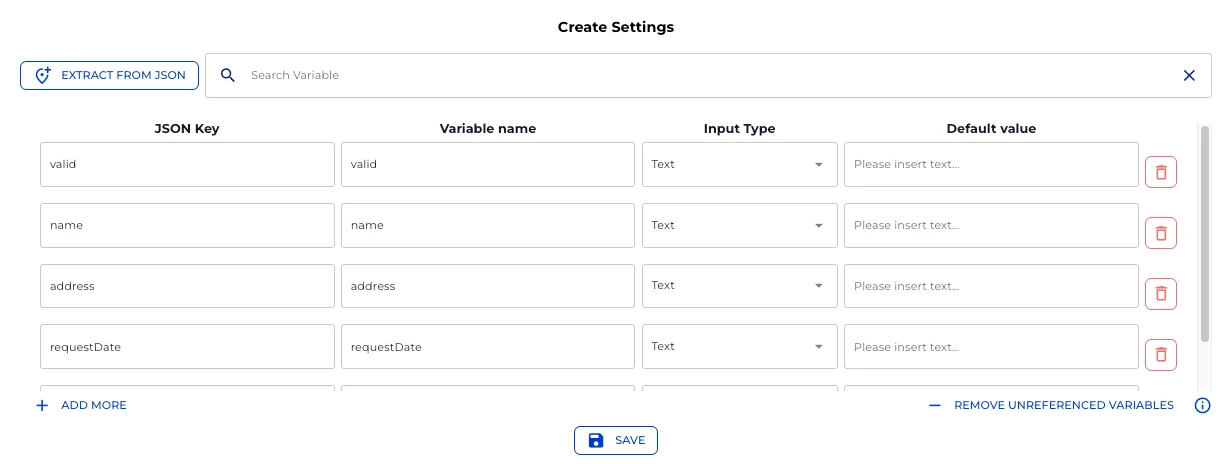
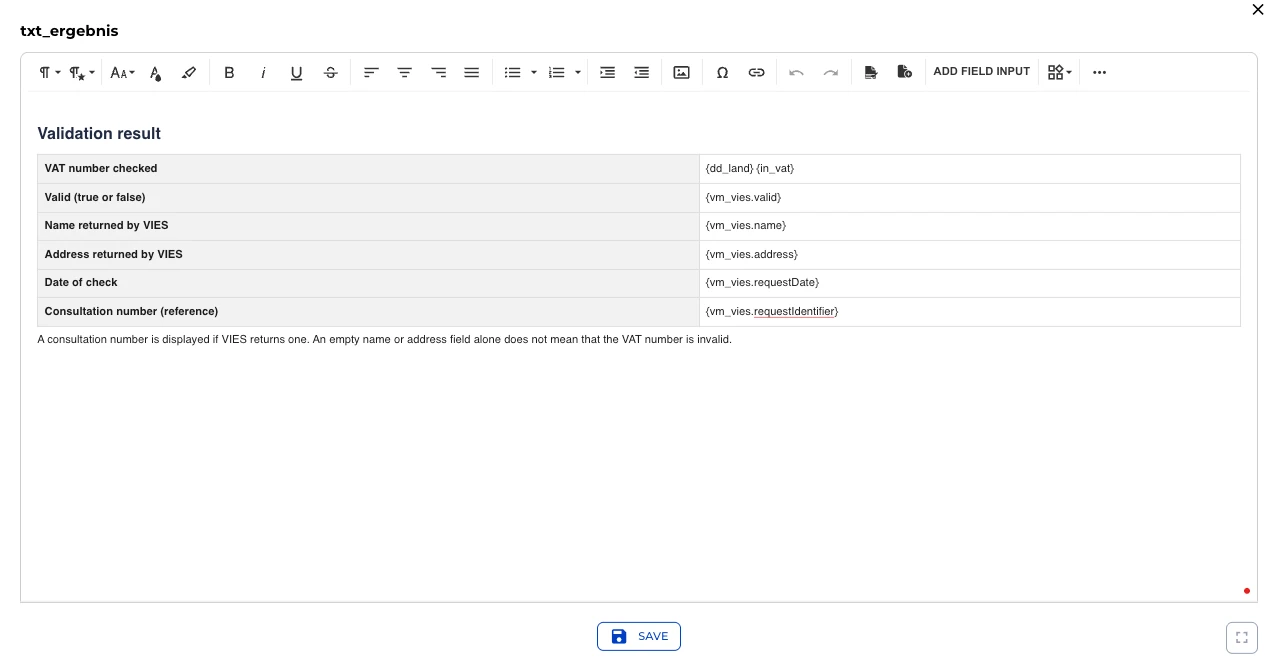
The Variable Mapper assigns the fields of the VIES response to named variables: validity (valid), name, address, date of check (requestDate) and, if returned, the consultation number. A Text Field places these variables in a result table. A note below makes clear that an empty name or address field alone does not mean the VAT number is invalid. Some member states simply do not return these details.
Creating the PDF record
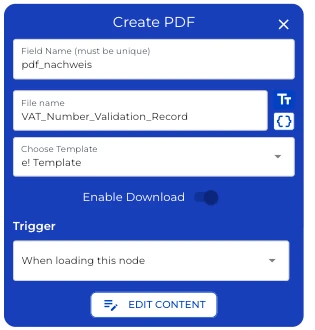
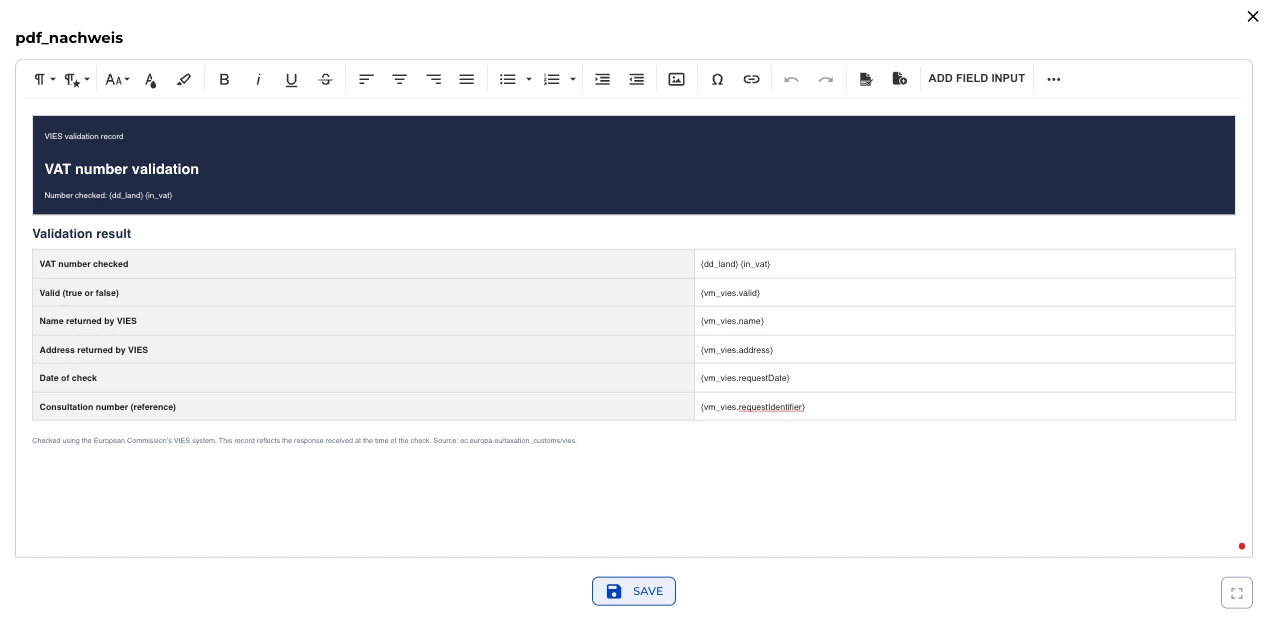
Finally, the bot creates the PDF VAT_Number_Validation_Record from the e! Template. Download is enabled, and generation again starts on its own when the bot reaches this step. The template “VAT number validation” uses the same variables as the result view. A source note at the bottom names VIES and states that the record reflects the response received at the time of the check.
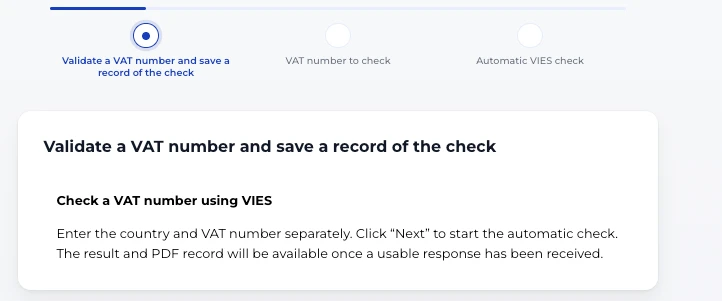
User view
The user view walks through the check in four steps. The start screen explains what happens: enter country and number separately, select Next to run the check, and the result and PDF record appear once a usable response is in.
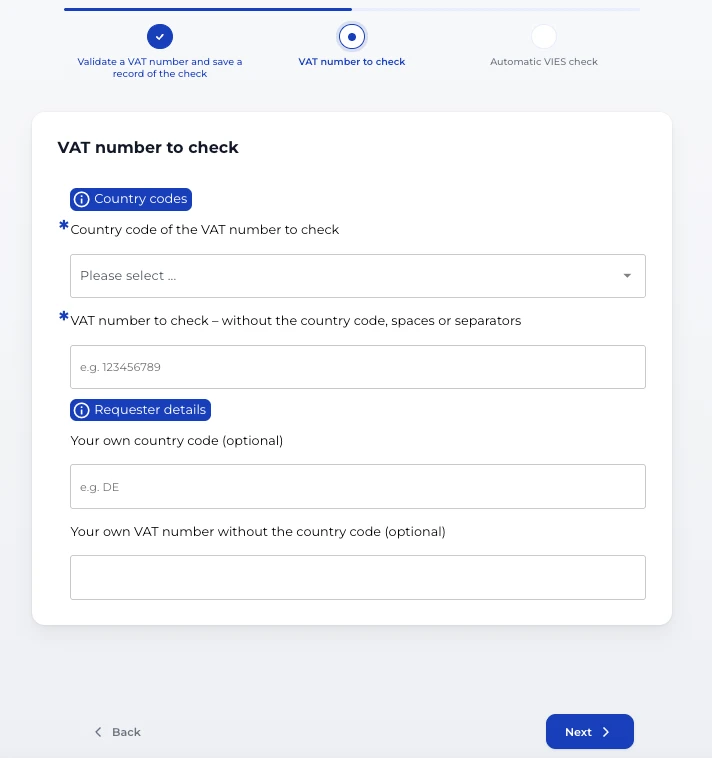
Entering the number
Input comes down to two required fields: the country from the list and the number without its country code. The fields for the user’s own company stay empty unless a consultation number is needed. Two info badges explain country codes and requester details right in the form.
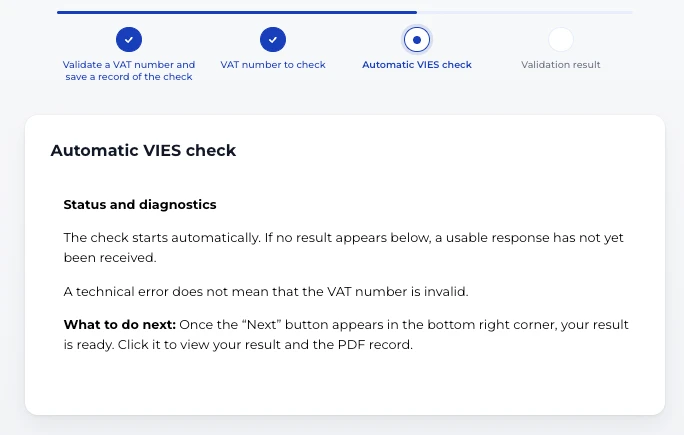
Automatic VIES check
The check runs without another click. The status note makes clear that a technical error does not mean the VAT number is invalid. Once Next appears, the result is ready.
Validation result
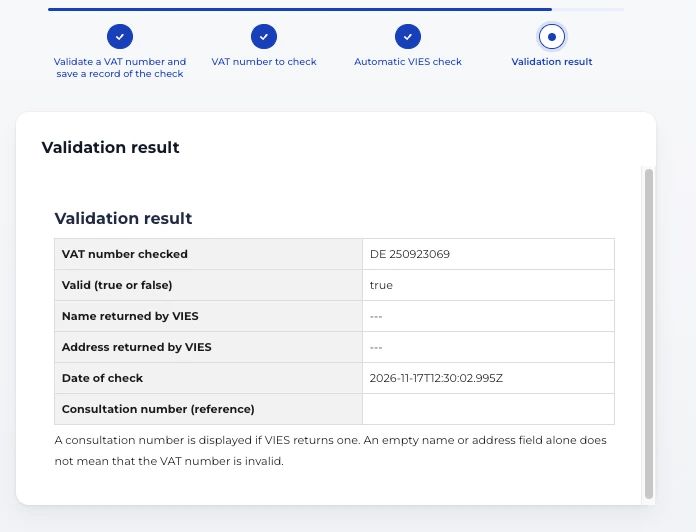
The result table shows the number checked, the result and the date of check. In this example VIES reports the number as valid and returns no name or address. That is common for some member states and is no sign of an invalid number.
Downloading the PDF record
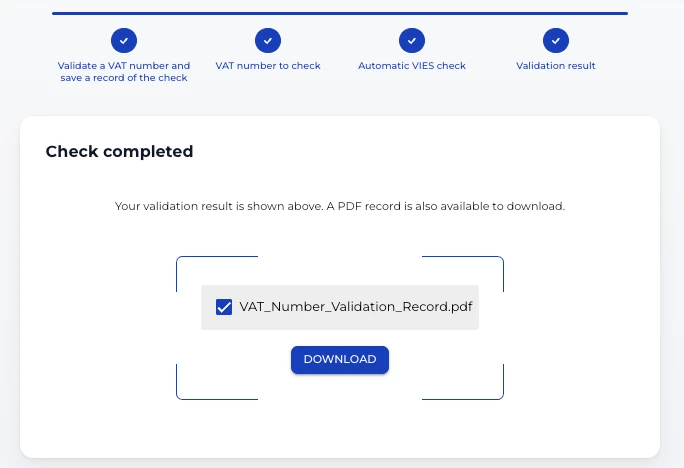
One click on Download delivers the record as a PDF. It documents the check outside the form and can be filed with the records of the transaction.
Part of the bot library
VAT number validation is one of the ready-made templates in the Lexemo bot library. Use it as it is or adapt it to your own processes, for example with your own PDF layout or extra fields.