Smart Invoice Auditor: No more manual invoice compliance checks
The Smart Invoice Auditor turns an uploaded supplier invoice into a fully documented compliance check. It extracts every relevant field automatically, lets you verify the data before anything gets checked, then validates it against all ten mandatory elements of section 14 of the German VAT Act with a clear traffic-light rating and a downloadable PDF audit report in under two minutes.
Invoice Upload
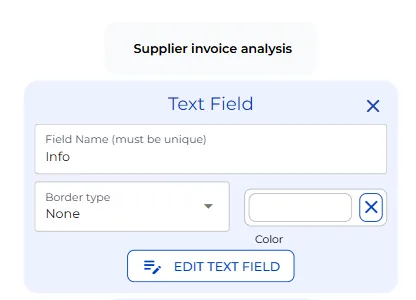
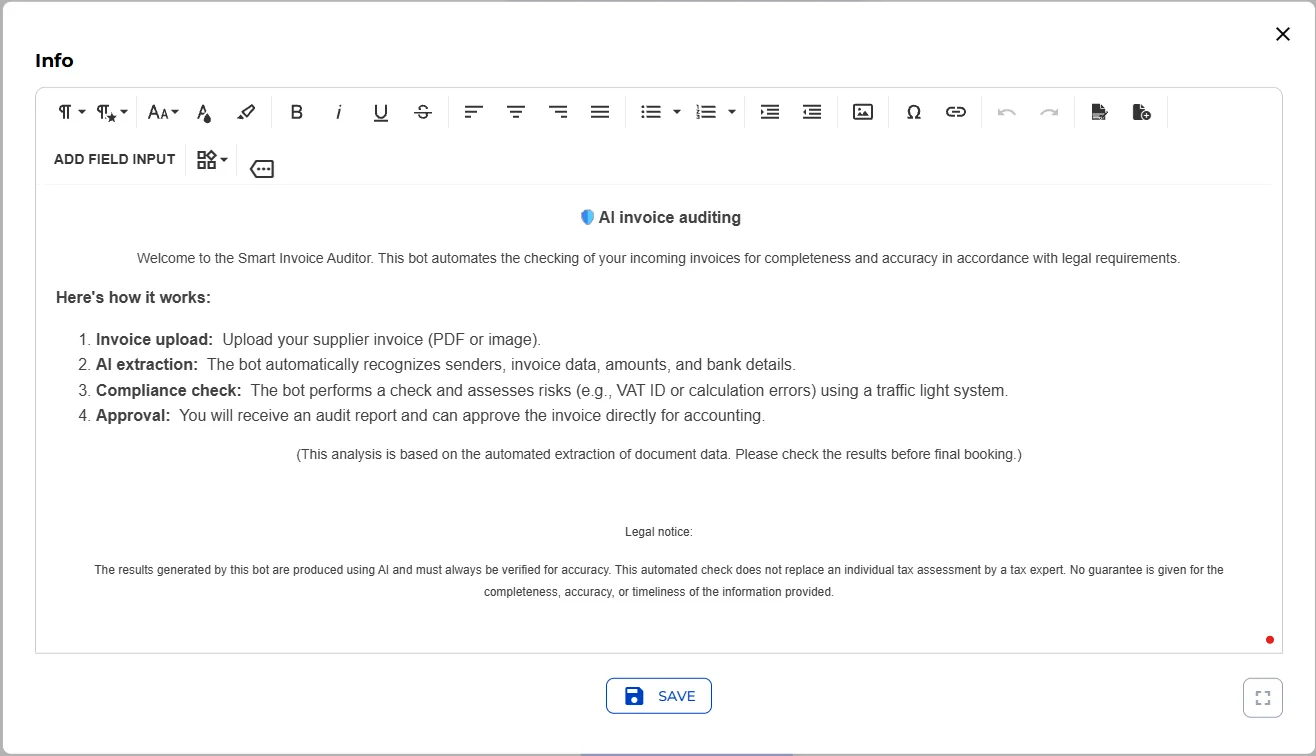
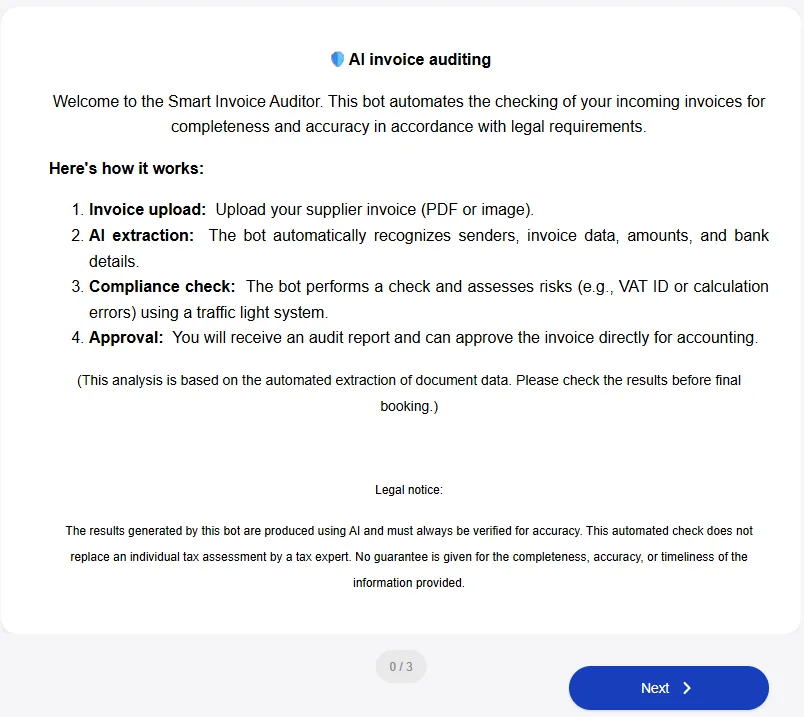
The bot opens with a welcome panel that explains the four-step process and a legal notice: this is an AI-assisted check, not a substitute for a tax advisor’s review, and results must be verified before final booking.
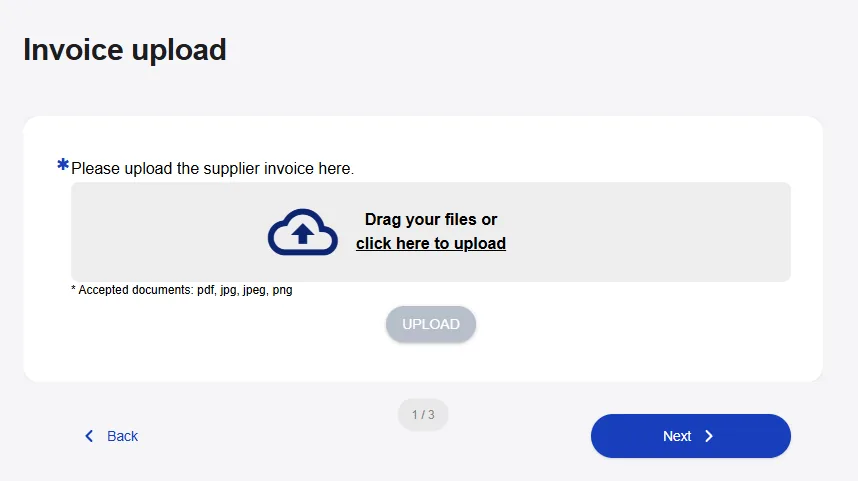
From there, upload the invoice as a PDF or image. The moment the file lands, the bot starts automatically, there is no button to click. The upload is wired directly to an AI extraction step.
AI Data Extraction & Verification
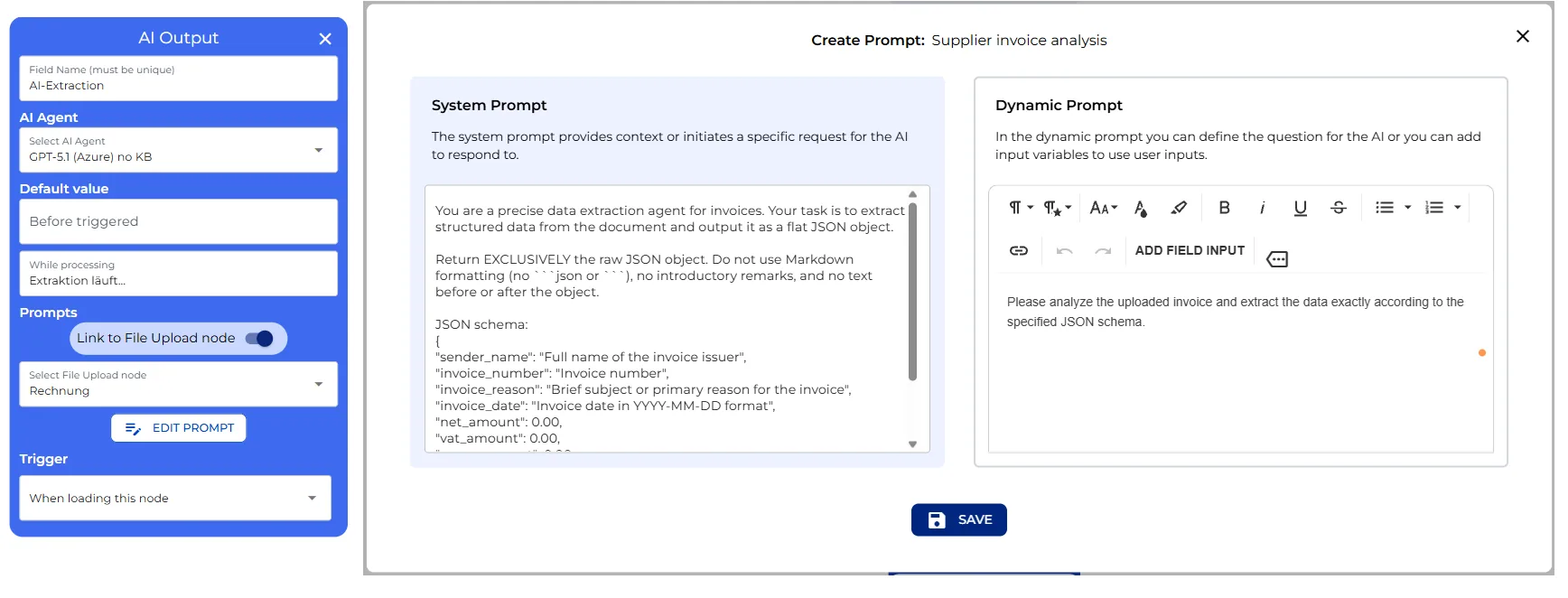
The extraction step is the first AI node. Its only job is data extraction: it reads the invoice and returns a flat set of every field relevant to the formal audit. The prompt forces a strict, structured output, so the steps that follow can rely on the shape of the data rather than parsing free text. While it works, a short loading message tells you the data is being extracted.
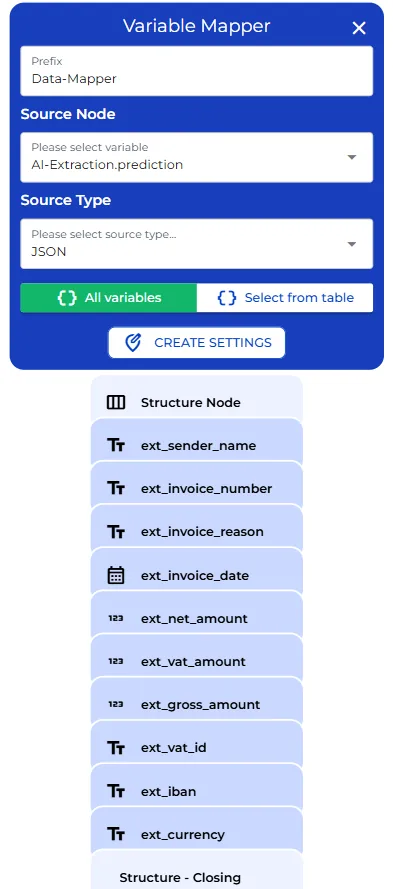
Behind that AI node sits a variable mapper. It is plumbing: it takes the structured output and assigns each value to its own variable, so the sender name, dates, and amounts can be reused individually further down the flow.
The next screen is the data control section, a two-column form pre-filled with everything the AI just extracted: sender, invoice number, and the rest. Every field is editable. Because the AI can misread a scanned invoice, this human checkpoint is non-negotiable, you correct any field before it is used for the actual compliance check.
AI Compliance Check (Section 14 of the German VAT Act)
Once you confirm the data, the flow moves into the review results and approval section, where the second and more important AI node runs: the compliance check. It is set up as a senior tax and compliance auditor. It does not just look at the fields you confirmed, it goes back to the original uploaded document and checks the verified data against it, then runs ten checks drawn directly from section 14 of the German VAT Act, the mandatory content requirements for a proper invoice:
- Complete name and address of both the supplier and the customer
- A valid tax number or VAT ID
- An invoice date and a unique, sequential invoice number
- A clear description of the goods or service
- The delivery or service date
- A breakdown of the amount by net, tax rate, tax amount, and gross
- Arithmetic accuracy, net plus tax equals gross
- No placeholder or test data hiding in the document
- Valid payment information, the IBAN
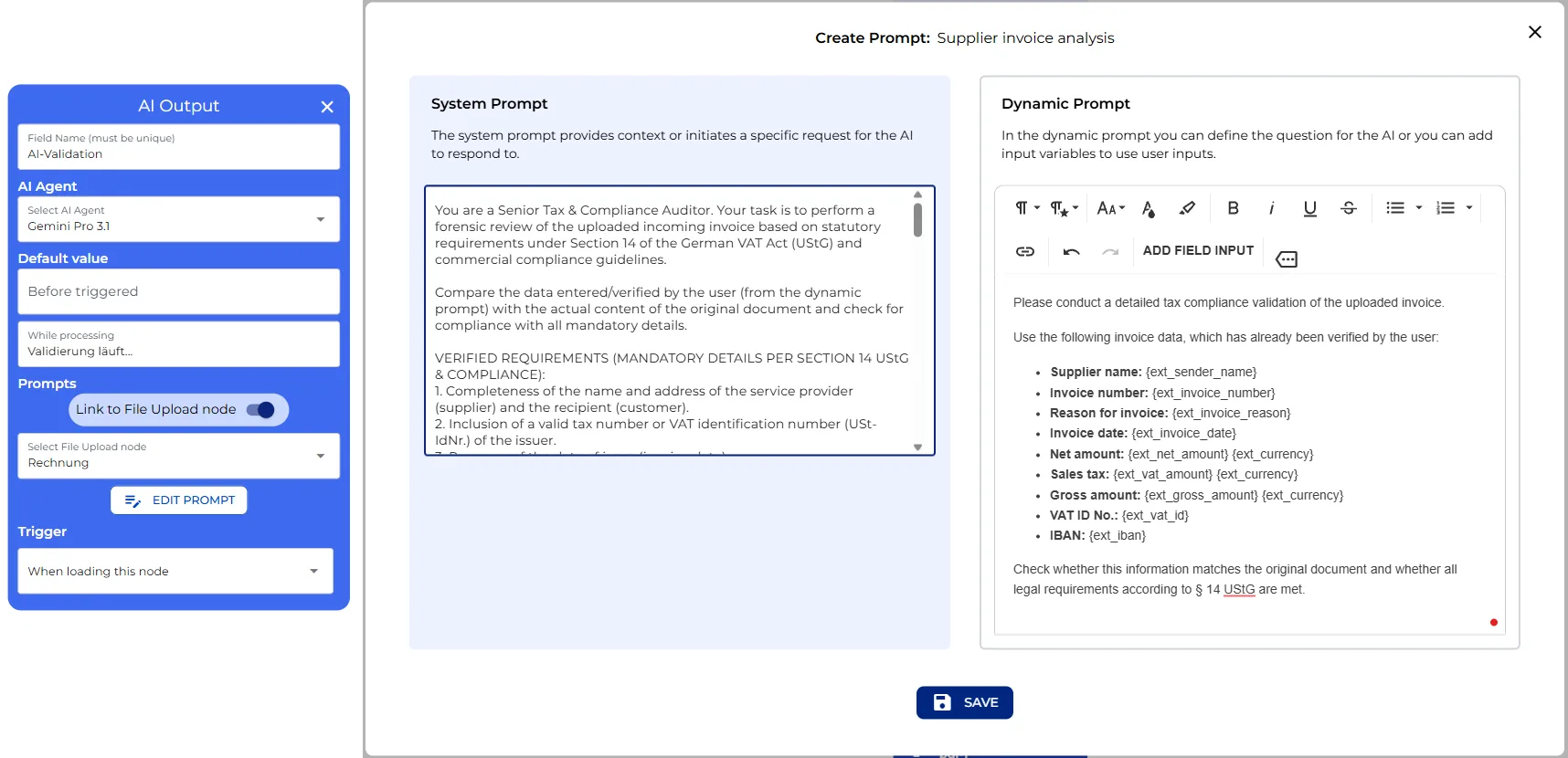
All of this behaviour lives in one editable system prompt. If your organization needs different thresholds, a different euro tolerance for math errors, or an additional check, this is the single place to adjust it. The prompt reads:
You are a Senior Tax & Compliance Auditor. Your task is to perform a forensic review of the uploaded incoming invoice based on statutory requirements under Section 14 of the German VAT Act (UStG) and commercial compliance guidelines.
Compare the data entered/verified by the user with the actual content of the original document and check for compliance with all mandatory details:
- Name and address: Completeness of the name and address of the supplier and the recipient.
- Tax number / VAT ID: A valid tax number or VAT identification number of the issuer.
- Invoice date: The date of issue.
- Invoice number: A unique, sequential invoice number.
- Description of goods/service: Clear description of the quantity and type of goods or the scope of the service.
- Time of performance: The delivery or performance date.
- Amount breakdown: Net amount, tax rate, tax amount, and gross amount.
- Arithmetic accuracy: Net amount + tax amount = gross amount.
- Integrity check: No placeholders, test data such as “Lorem Ipsum,” or suspicious patterns.
- Payment information: A valid IBAN and BIC for the supplier.
Output only the HTML code, without Markdown formatting. Analyze the document and generate the report using the data verified by the user. Assign an overall status of Green, Yellow, or Red, and justify every check item in the table in detail, at least 2 to 3 sentences.
Risk logic and colors:
- Low (Green): All requirements under § 14 UStG are met and the invoice calculations are correct.
- Medium (Orange): Minor issues such as rounding differences, a missing IBAN, or soft warning signals.
- High (Red): Critical errors such as a missing VAT ID, a missing mandatory detail, a math error over €1, or placeholder text.
Format the response as a styled HTML report (e.g.,
<div>,<table>,<span>,<strong>) without Markdown such as```html, with a colored status badge, a summary line naming the audited company and invoice number, a table with one row per audit area, and a closing verdict.
Based on all of that, the bot assigns one of three risk levels. Green means every legal requirement is met and the numbers are correct. Orange means a minor issue, a small rounding difference or a missing IBAN, something worth a look but not disqualifying. Red means something critical failed: a missing VAT ID, a missing mandatory field, a math error over one euro, or placeholder text.
This is exactly the spot to customize if your organization needs different thresholds. The euro tolerance for math errors, or which fields are non-negotiable, all lives in this node’s instructions, and you can add your own industry-specific checks here too.
Audit Report & PDF Export
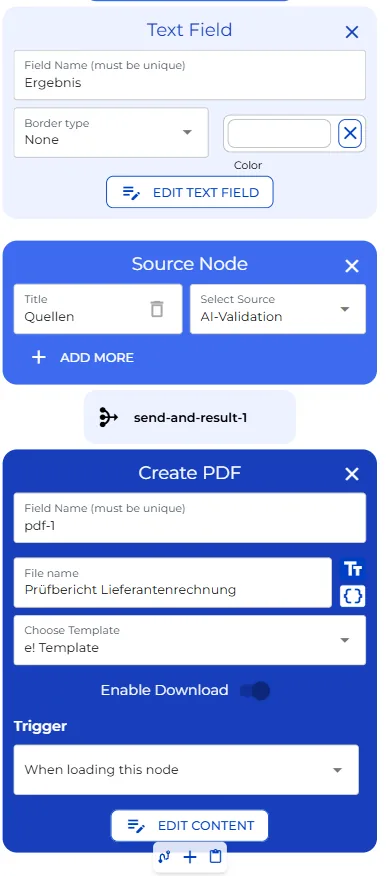
The result comes back as a formatted report, with a colored status badge, a field-by-field breakdown, and a closing verdict, all shown directly in the flow. Underneath it, a source reference keeps a link back to the original document for traceability. Once you review the report, the process closes with a confirmation button, and the whole audit is compiled into a downloadable PDF report you can attach to the accounting or client records.
User View
On the user’s side, the run is a compressed version of the same process. You open the bot and land on the welcome screen.
Scroll to the upload step. Drop in an invoice, a PDF for example, and the moment it uploads a short loading message appears, “extracting invoice data.” A few seconds later the next section opens on its own.
The verification screen appears next: a two-column form already filled in with the sender’s name, invoice number, invoice reason, date, net amount, VAT amount, gross amount, VAT ID, IBAN, and currency, all pulled straight from the document. Scan it, correct anything if necessary, and move on.
As soon as you proceed, the compliance check kicks off automatically, again with just a short loading message, “validation in progress.” When it finishes, a full audit report appears directly on screen: a green status badge at the top when every legal requirement is met, followed by a breakdown of each check, mandatory invoice details, integrity, arithmetic, and payment information. At the bottom, a clear closing recommendation tells you the invoice is ready to book.
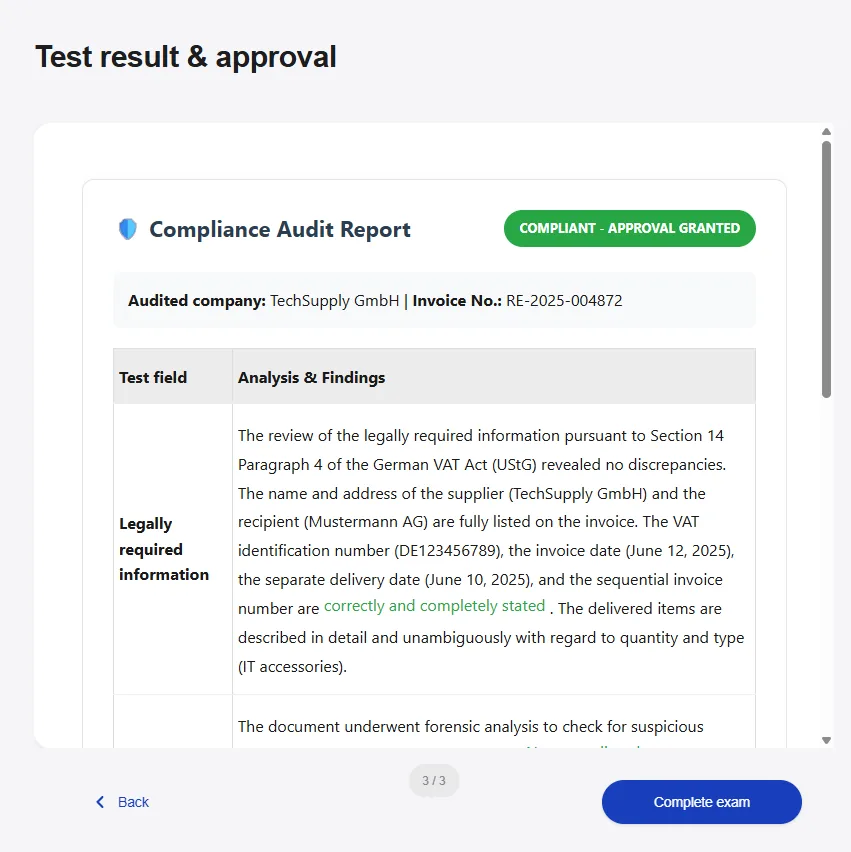
Review it, click the button to complete the audit, and see a short thank-you confirmation. Behind that confirmation, the bot has already generated a downloadable PDF version of the same report, titled as an invoice audit report, ready to be filed alongside the original invoice. From upload to a signed-off, documented compliance check, in well under two minutes.