How to Add a Multi-Line Text Input to a Legal Bot in e!
Learn how to add a Text Area node in e! to collect longer text inputs like case descriptions, clause drafts, and legal briefs from clients. No coding needed.
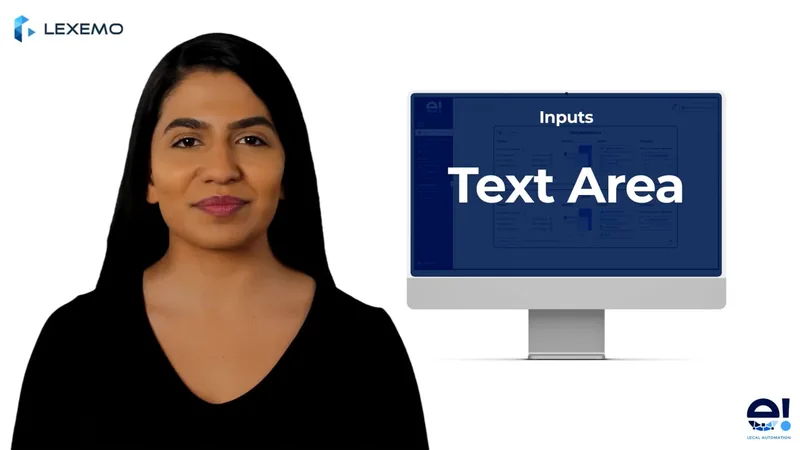
The Input Text Area allows you to include input variables in your bot, creating input fields where clients can enter the information you require. In this tutorial, we will focus on the text area node, which is ideal for gathering longer text inputs from your clients.
Step 1: Add the Text Area Node
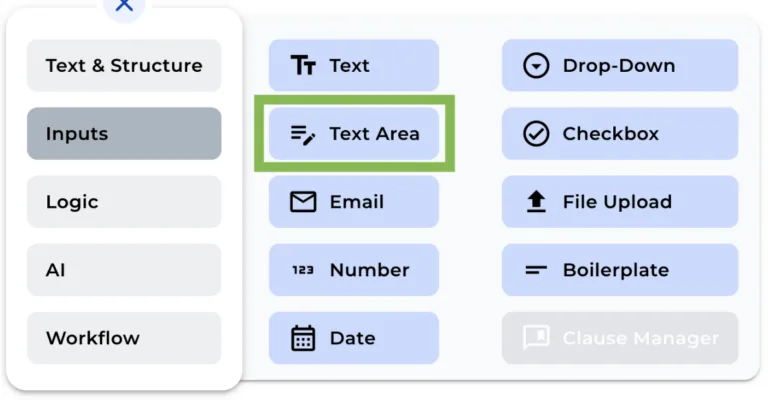
To add an Input Text Area node in your bot, click on the “+” icon to open the menu and select the Text Area Node.
Step 2: Rename the Node
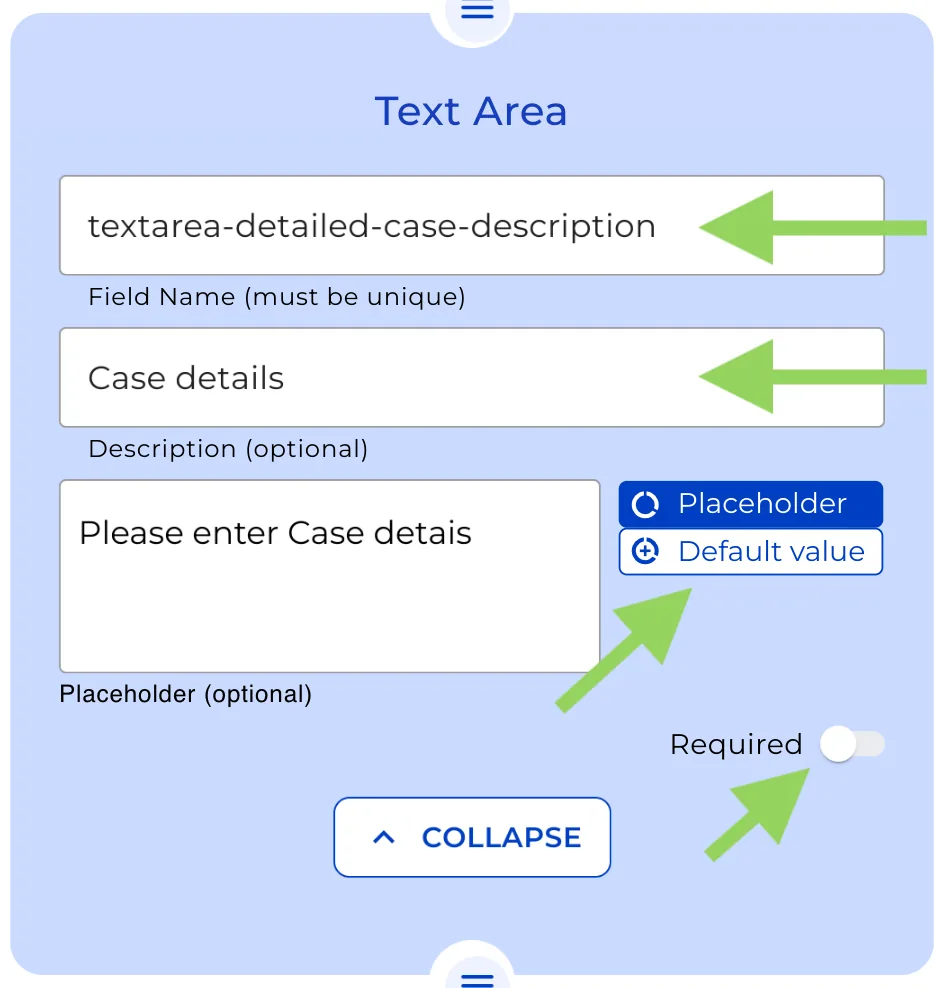
You can change the name of the node to give a better understanding of its function. In our example, we’ll rename it to “detailed-case-description.”
Step 3: Provide an Explanation (Optional)
If you want to provide your clients with more information regarding the input text area, provide a small description.
Step 4: Add a Placeholder or default value (Optional)
To guide your clients on what to enter in the input field, you may include a placeholder text or a default value by clicking over the buttons on the right side of the text box.
Step 5: Toggle the “Required” Option
Enabling the “required” option ensures that the bot cannot be finished unless the client enters information in the text section. When utilizing this feature, be cautious because it may have an influence on the user experience.
Don’t forget to select “Preview” from the top menu to see how your bot will look to your clients. This allows you to make any necessary changes before your bot is implemented.
That’s it! See you next time.