Cut, Copy & Paste Nodes: Manage Legal Bot Workflows Faster
Cut, copy, paste, and delete nodes within or across bots in e! — including copying single or all branches of a logical condition tree. Build faster.
In this tutorial, we will streamline your bot-building process by showing you how to cut, copy, paste, and delete nodes with ease. These actions allow you to manage your bot’s workflow more effectively. Let’s get started.
Cut/Paste within the same Bot:
Step 1: Cut Individual or Multiple Nodes
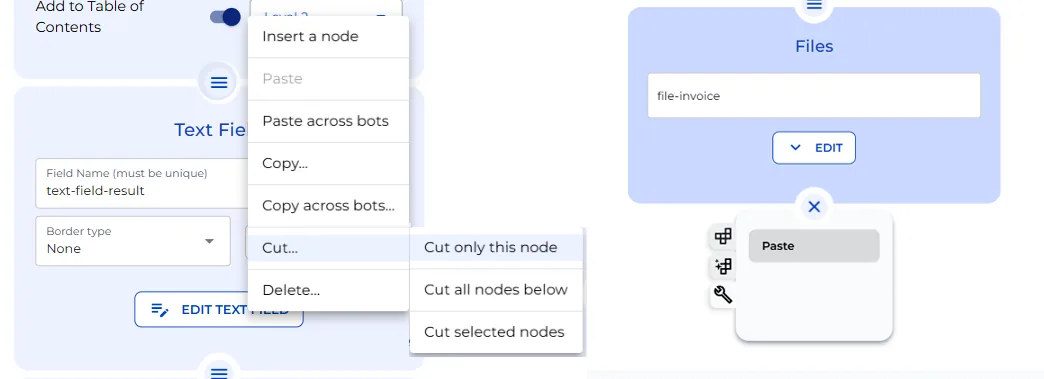
Select Cut… by clicking the “burger” icon on the node you wish to cut.
From the menu select the desired action: Cut only this node, Cut all nodes Below, or Cut selected nodes
Step 2: Paste the Nodes at the End or Between Existing Nodes
To paste between existing nodes, click on the “burger” icon and select “Paste”.
To Paste nodes at the end, click the “+” icon and hit the action icon and then select ‘Paste’
**Notice that the original bot setting and all references remains unchanged and the pasted node is identical to the version that was cut.
Copy/Paste within the same Bot:
Step 1: Copy Individual or Multiple Nodes
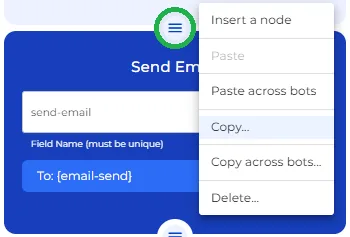
Select Copy… by clicking the “burger” icon on the node you wish to copy.
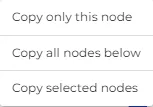
From the menu select the desired action: Copy only this node, Copy all nodes Below, or Copy selected nodes
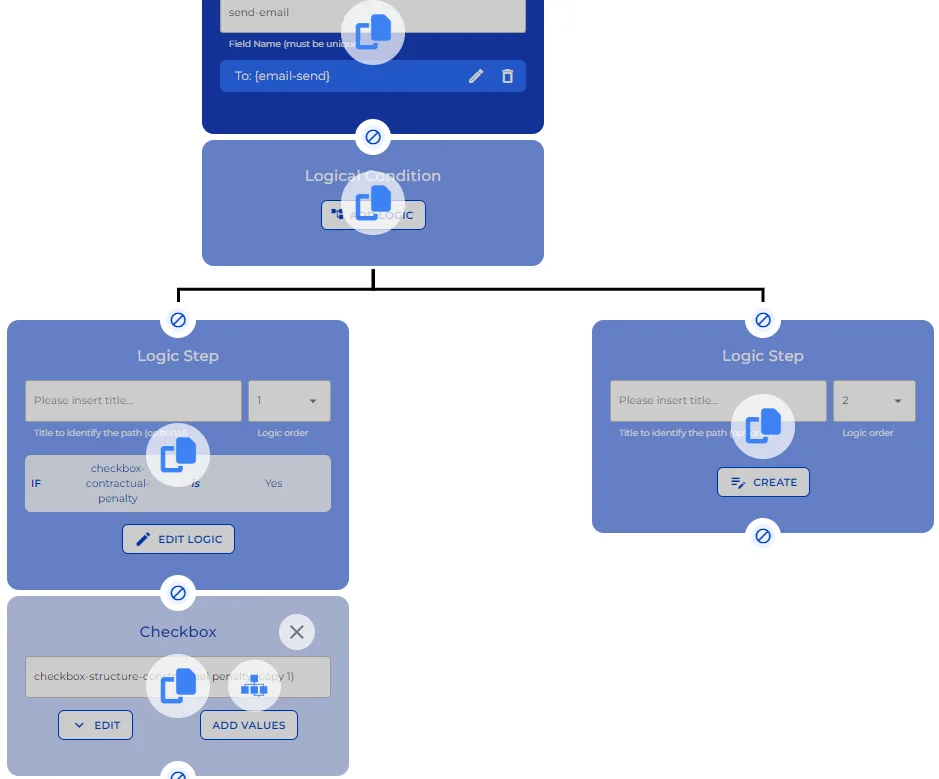
Choose ‘Copy selected nodes’ to highlight and copy the chain of nodes you need.
Step 2: Paste the Nodes at the End or Between Existing Nodes
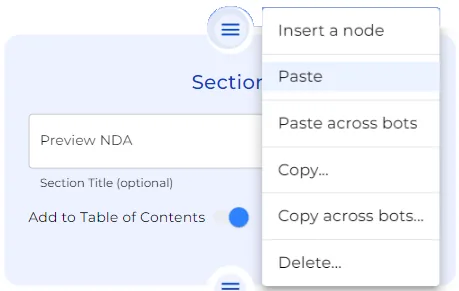
To paste between existing nodes, click on the “burger” icon and select “Paste”.
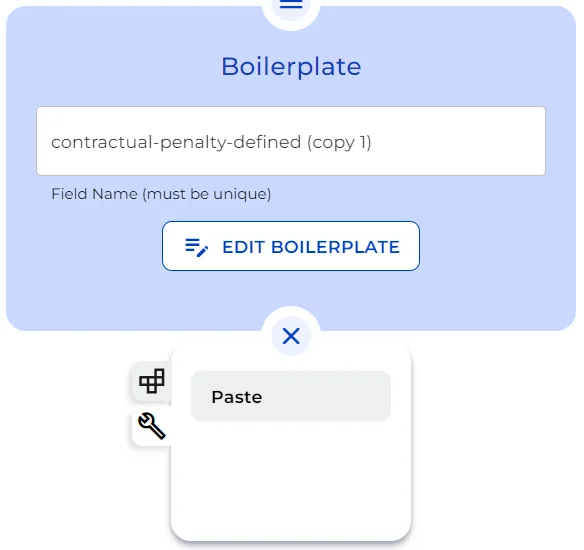
To Paste nodes at the end, click the “+” icon and hit the action icon and then select ‘Paste’
Copy/Paste Across Bots:
Want to transfer nodes from one bot to another? No sweat!
Step 3: Copy Nodes and Paste to a different Bot Between Existing Nodes or to a New Bot
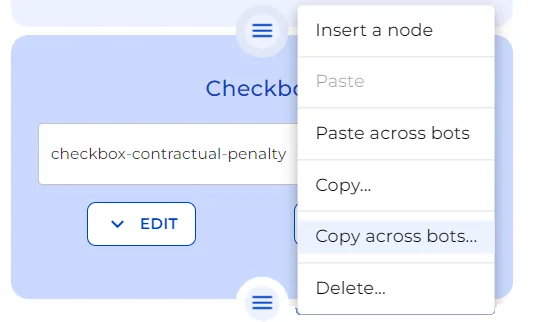
Use ‘Copy across bots’ option after clicking the “burger” icon.
Select nodes to copy, whether a single one, all below, or a selection.
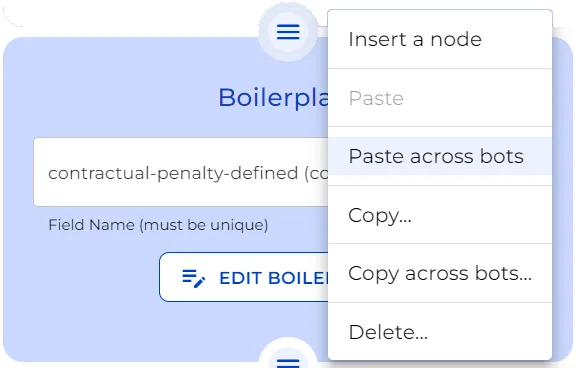
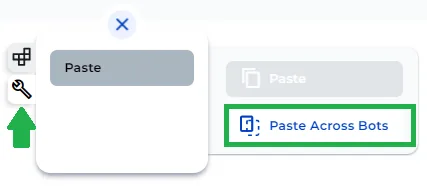
In another bot, to paste between existing Nodes, click on the “burger” icon and select “Paste across bots”. Or, to Paste Nodes to a brand new bot or at the end of a different bot, click the “+” icon and hit the action icon. Select ‘Paste Across Bots’ and there you have it.
** Notice that the Paste option is inactive here, as the actions are pasting across bots!
Deleting Nodes
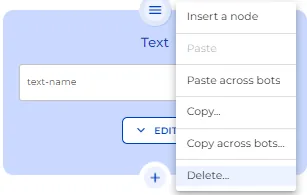
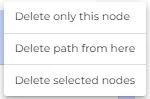
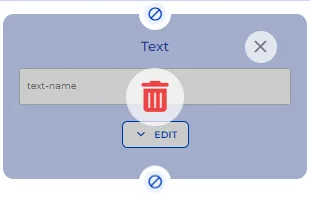
Click the “burger” icon, select ‘Delete’, and choose the extent of deletion.
Now hover and click on the Delete icon to remove unwanted nodes or paths.
New copy-Paste feature
Notice in the latest update of e!, the Copy function is improved.
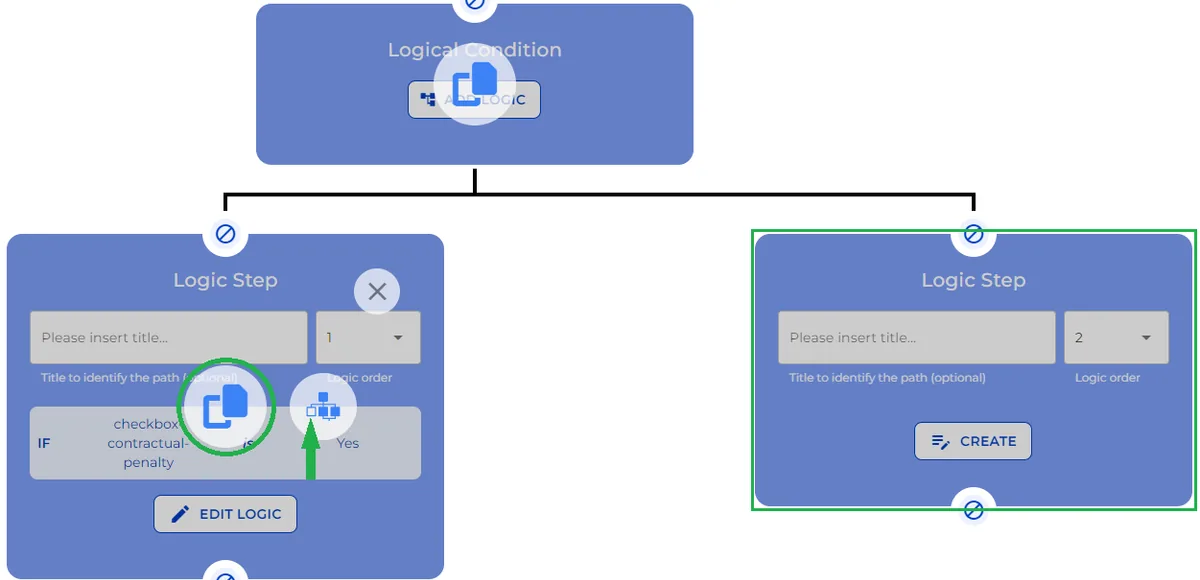
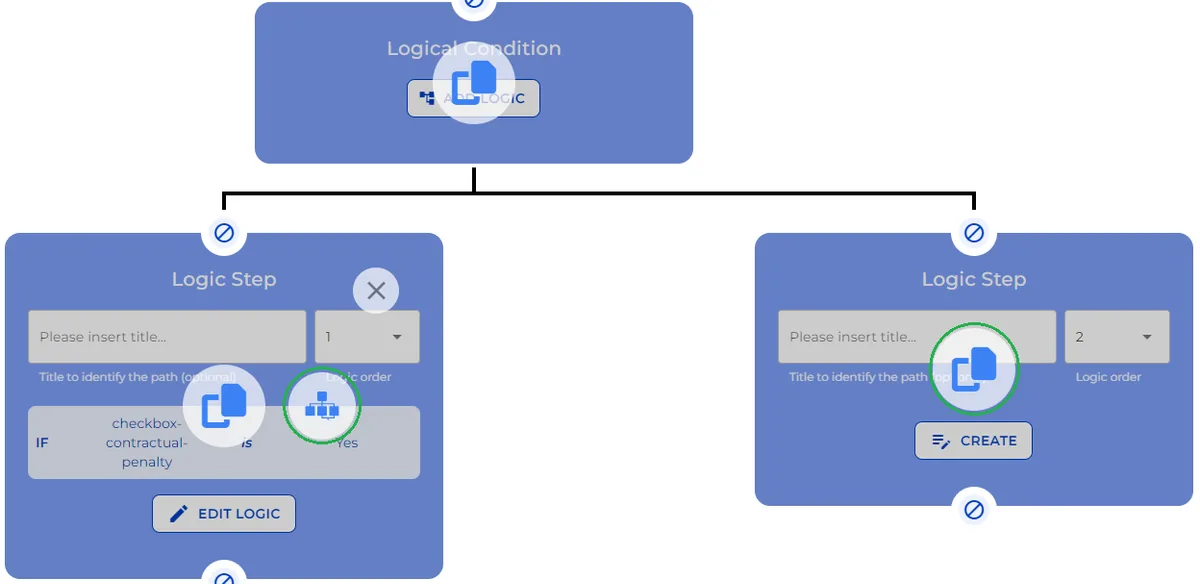
When copying a logical condition Node, you now can choose to copy only one chain of the decision tree or all branches.
Click the “burger” icon on the node you wish to copy and select Copy…
Notice the two icons appear on the logical condition tree. The big copy icon allows you to copy the particular node and, the decision tree Icon allows you to copy a single path or copy all paths of the logical condition. to select all paths, you need to select the white box on the decision tree so all little boxes become blue.
And that’s how you efficiently manage your bot’s structure. Whether expanding, editing, or streamlining, these steps ensure your bot setup is as efficient as your legal analysis. Innovating law, one post at a time.