Counter-Research for Pleadings: Extract the Issue, Verify the Case Law, and Draft the Reply with AI
This bot reads an uploaded opposing brief, extracts the legal issue and the cited decision, searches Federal Labour Court case law in the LexGraph knowledge graph, retrieves the cited judgment in full text, and drafts a short legal opinion plus a reply brief, no manual research required.
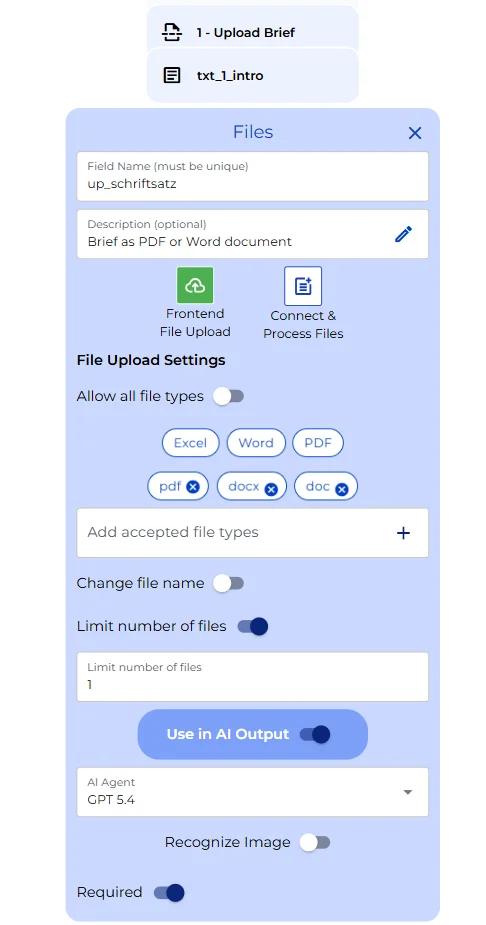
Uploading the brief
The bot opens with a single upload field. There’s nothing else to fill in beforehand: the person handling the reply just drags in the opposing party’s brief as a PDF or Word file, and everything downstream reads directly from that one document. The field is capped at one file and feeds straight into the AI steps that follow.
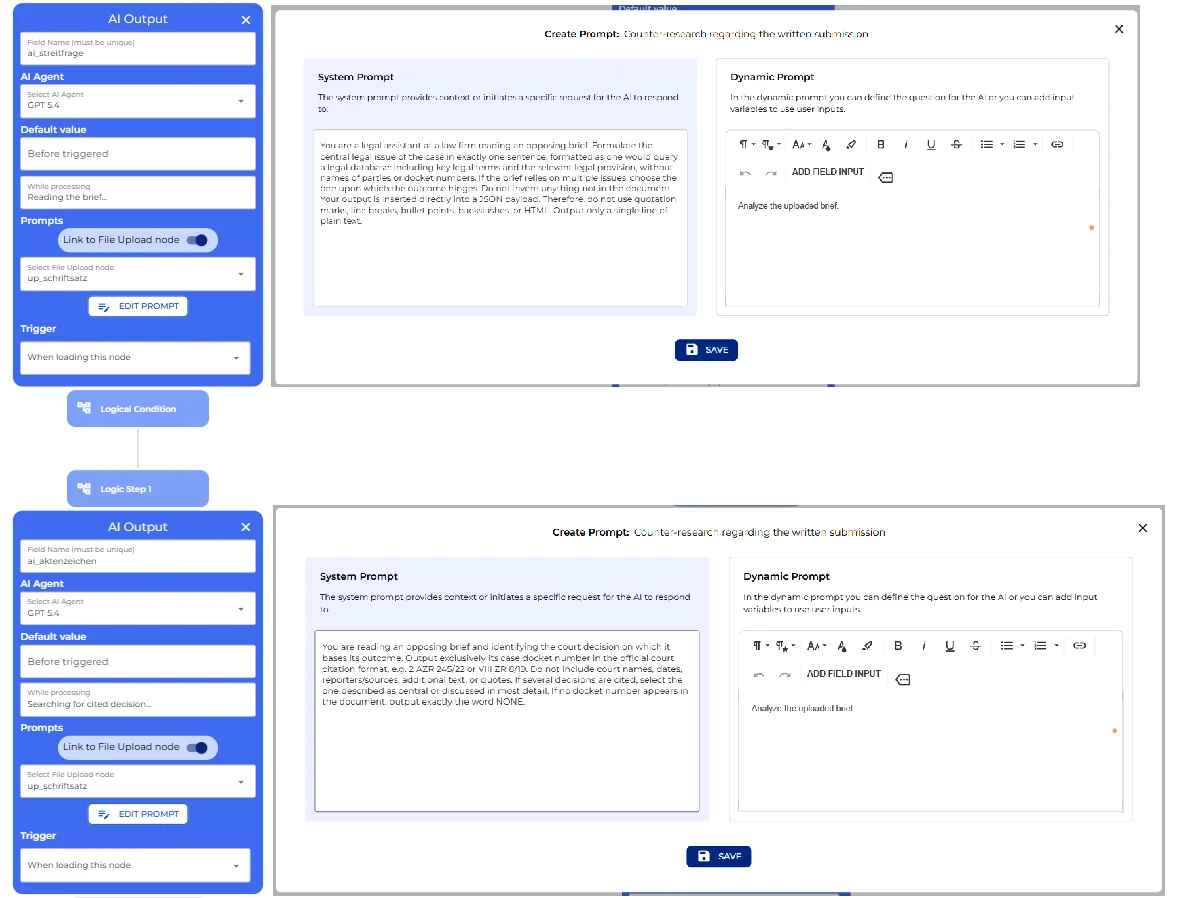
Reading the brief: the issue and the citation
Two AI steps run automatically and read the document directly as soon as it’s uploaded. The first extracts the central legal issue the way you’d type it into a legal database.
You are a legal assistant at a law firm reading an opposing brief. Formulate the central legal issue of the case in exactly one sentence, formatted as one would query a legal database, including key legal terms and the relevant legal provision, without names of parties or docket numbers. If the brief relies on multiple issues, choose the one upon which the outcome hinges. Do not invent anything not in the document. Your output is inserted directly into a JSON payload. Therefore, do not use quotation marks, line breaks, bullet points, backslashes, or HTML. Output only a single line of plain text.
The second step finds the decision the brief leans on: it isolates a single docket number in the court’s own citation format, or states plainly that none was cited, so the research step downstream never has to guess.
You are reading an opposing brief and identifying the court decision on which it bases its outcome. Output exclusively its case docket number in the official court citation format, e.g. 2 AZR 245/22 or VIII ZR 8/19. Do not include court names, dates, reporters/sources, additional text, or quotes. If several decisions are cited, select the one described as central or discussed in most detail. If no docket number appears in the document, output exactly the word NONE.
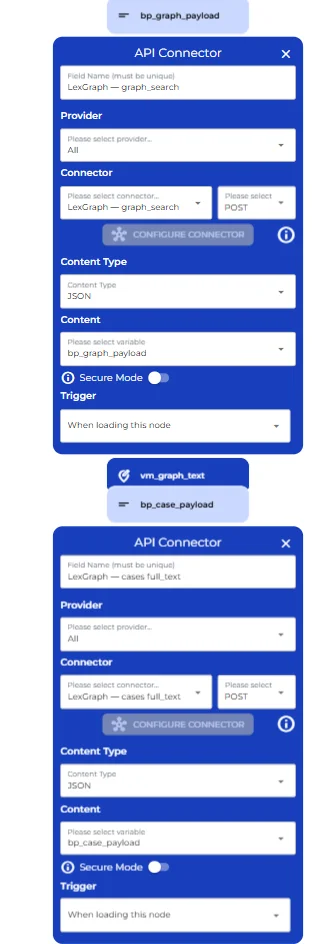
Researching the case law
Both results feed a pair of API connectors into LexGraph, the firm’s legal knowledge graph: one search scoped to the Federal Labour Court, built from the extracted legal issue, and one full-text retrieval for the exact decision the brief cited, pulling its reasoning, its facts, and its official headnote. If that decision isn’t in the knowledge graph, the retrieval simply comes back empty rather than erroring out, and the gap is carried through to what the bot writes next rather than hidden.
Writing the short opinion
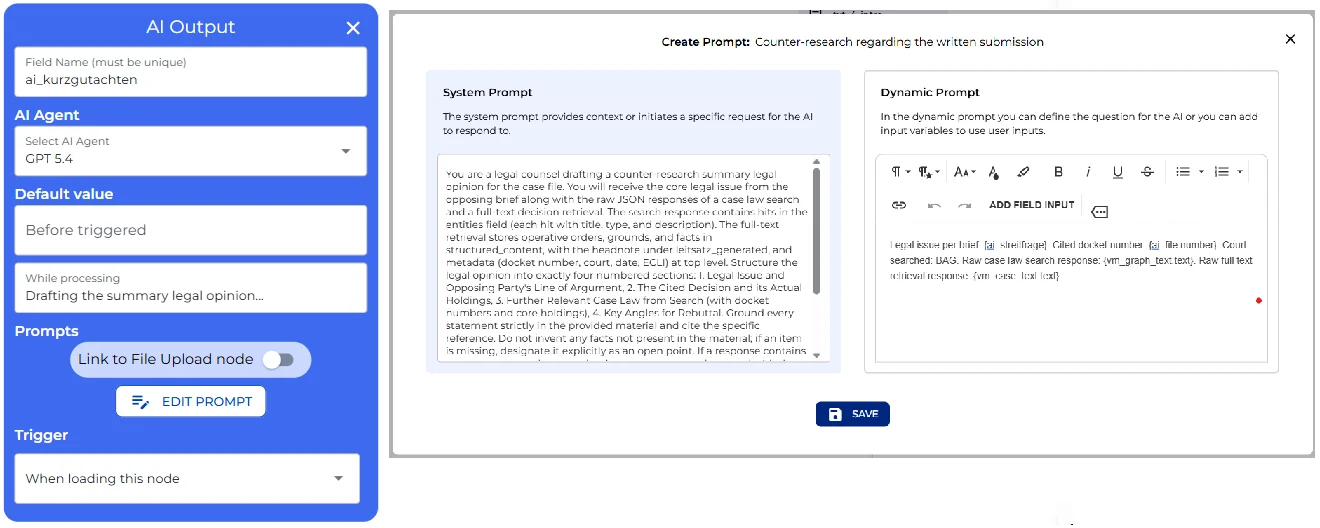
Both raw responses, still as JSON, go to a single AI step that writes a short legal opinion in exactly four numbered sections: the opposing side’s argument, what the cited decision actually supports, further case law the search turned up, and angles for rebuttal. Every line has to trace back to the material it was given; anything the search or retrieval didn’t return gets named as an open point instead of quietly skipped.
You are a legal counsel drafting a counter-research summary legal opinion for the case file. You will receive the core legal issue from the opposing brief along with the raw JSON responses of a case law search and a full-text decision retrieval. The search response contains hits in the entities field (each hit with title, type, and description). The full-text retrieval stores operative orders, grounds, and facts in structured_content, with the headnote under leitsatz_generated, and metadata (docket number, court, date, ECLI) at top level. Structure the legal opinion into exactly four numbered sections: 1. Legal Issue and Opposing Party’s Line of Argument, 2. The Cited Decision and its Actual Holdings, 3. Further Relevant Case Law from Search (with docket numbers and core holdings), 4. Key Angles for Rebuttal. Ground every statement strictly in the provided material and cite the specific reference. Do not invent any facts not present in the material; if an item is missing, designate it explicitly as an open point. If a response contains an error or no results, state that in one sentence and proceed with the remaining data. Conclude with a notice stating that the analysis was automatically generated and is subject to attorney review. Output only valid HTML enclosed within a single top-level div. Allowed tags are div, p, span, table, tr, td, th, ul, ol, li, b, strong, i, em, u, a. No headings h1 to h6, no br, no nested tables, no style or script blocks. Colors as hex values only. Font sizes via span style font-size, body text 11px, title lines 13px bold.
This is the node to edit if a firm wants a fifth section, a different court’s terminology, or a house style for how citations get formatted.
Drafting the reply
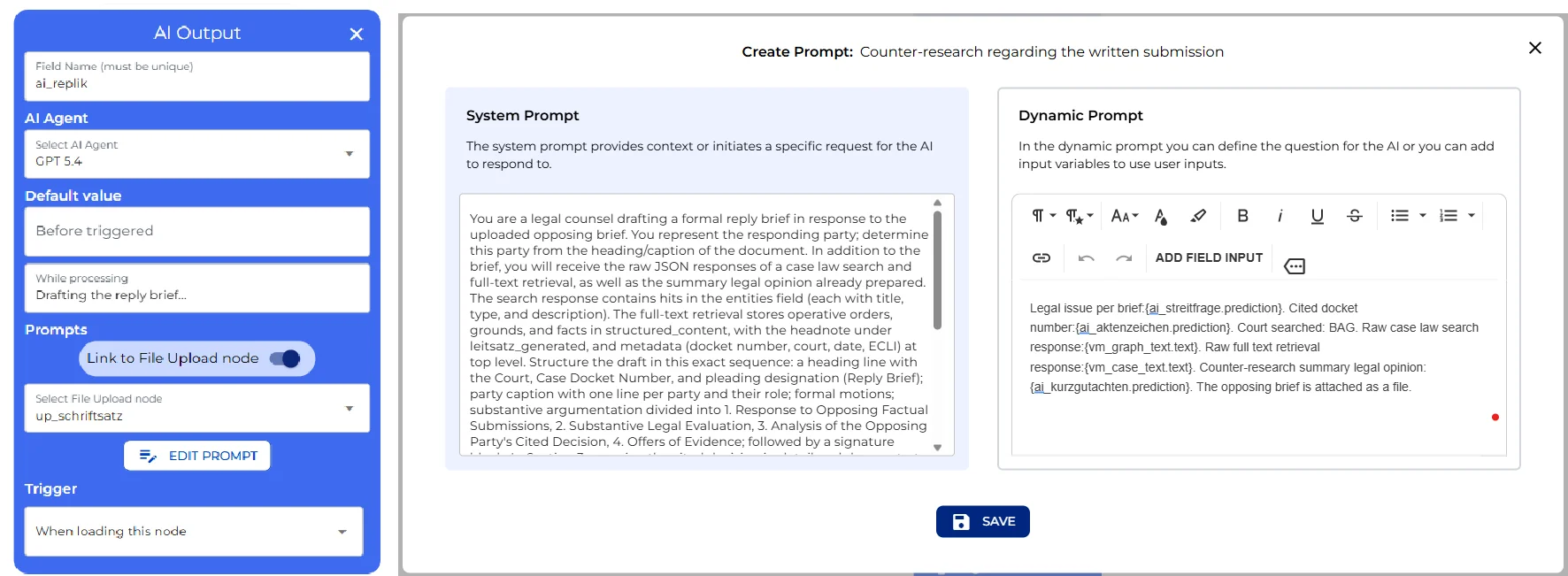
A second AI step goes further than the opinion. It takes the same search results, the same full-text retrieval, and the short opinion just written, and drafts an actual reply brief in filing shape: court, parties, motions, then a reasoned argument that explicitly engages the cited decision, working out why it doesn’t actually support the other side, followed by offers of evidence and a signature line. Wherever the draft needs a fact only the client can supply, it inserts a bracketed placeholder naming exactly what’s missing, and closes with a list of every open item.
You are a legal counsel drafting a formal reply brief in response to the uploaded opposing brief. You represent the responding party; determine this party from the heading/caption of the document. In addition to the brief, you will receive the raw JSON responses of a case law search and full-text retrieval, as well as the summary legal opinion already prepared. The search response contains hits in the entities field (each with title, type, and description). The full-text retrieval stores operative orders, grounds, and facts in structured_content, with the headnote under leitsatz_generated, and metadata (docket number, court, date, ECLI) at top level. Structure the draft in this exact sequence: a heading line with the Court, Case Docket Number, and pleading designation (Reply Brief); party caption with one line per party and their role; formal motions; substantive argumentation divided into 1. Response to Opposing Factual Submissions, 2. Substantive Legal Evaluation, 3. Analysis of the Opposing Party’s Cited Decision, 4. Offers of Evidence; followed by a signature block. In Section 3, examine the cited decision in detail and demonstrate why the present case is distinguishable or why the decision does not support the opposing argument; ground this in the retrieved full text rather than the opponent’s framing. Cite additional decisions using only the docket numbers from the supplied material. Do not fabricate facts, witnesses, dates, or citations. Wherever client facts are missing from the material, insert a bracketed placeholder specifying what must be provided (e.g. [Placeholder: Client factual details regarding the meeting of May 18, 2026]). Conclude with an “Open Action Items” section listing all placeholders, followed by a disclaimer noting that this draft is automatically generated and requires attorney review before submission. Output only valid HTML enclosed within a single top-level div, with the same tags and formatting rules as the short opinion above.
Exporting the documents
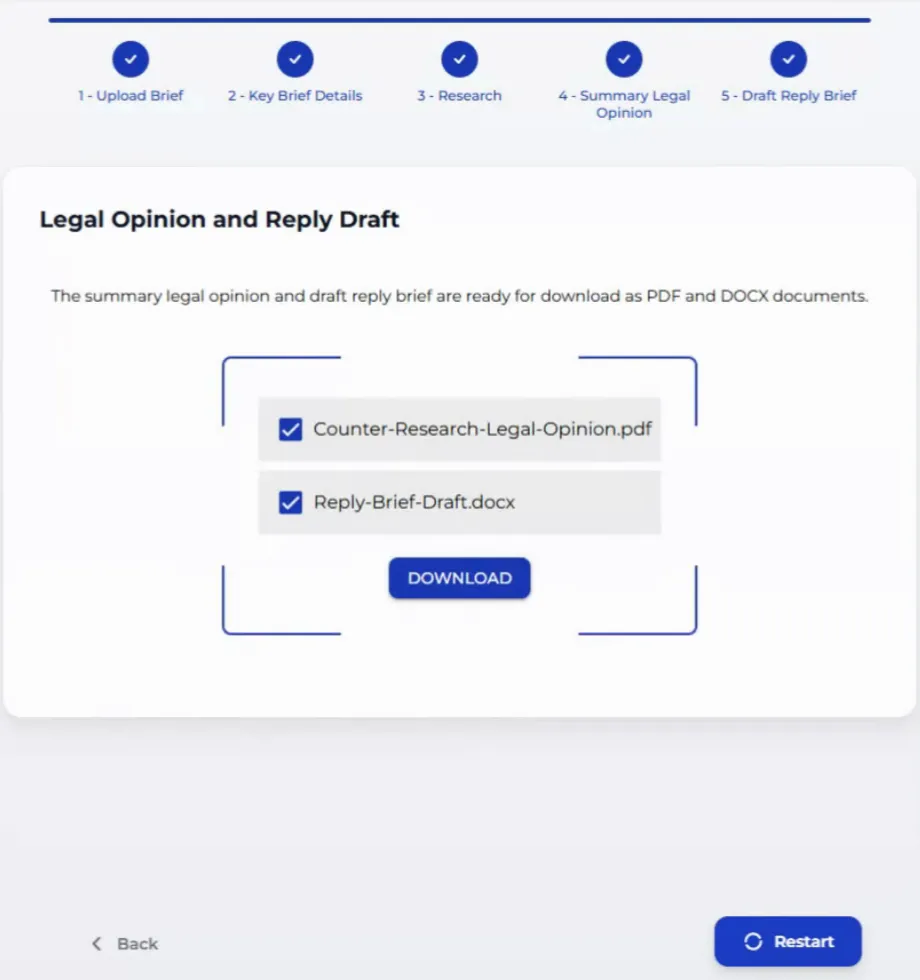
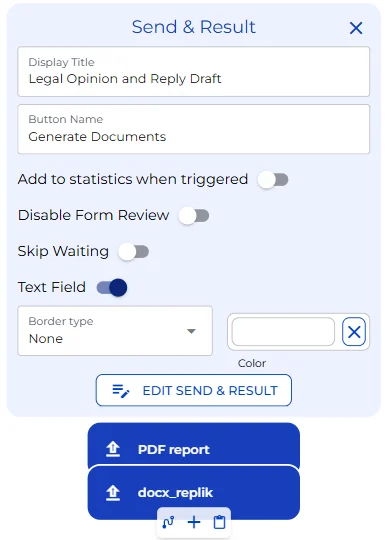
One button prepares both documents for download: the short opinion as a PDF, the reply as a Word file. From there, additional connectors could just as easily file them straight into a case management system, and the same LexGraph search could be pointed at a different court’s case law entirely.
User view
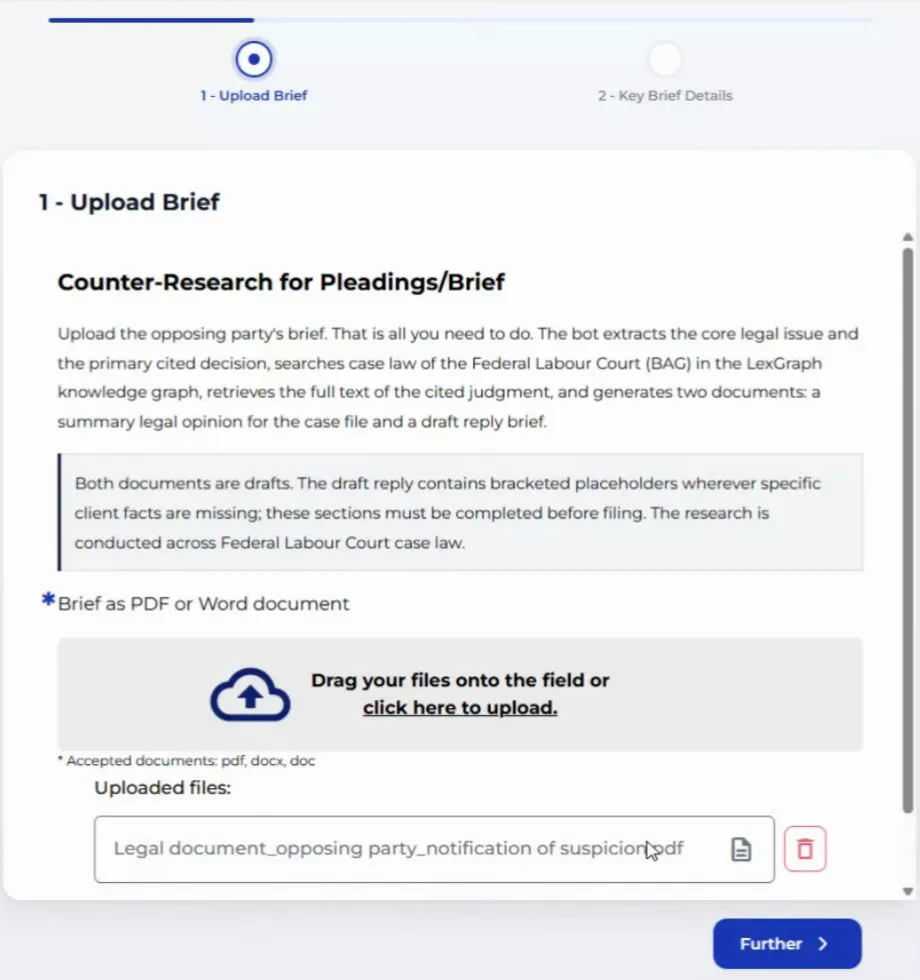
On the user’s side, uploading the brief is the entire input. The intro text explains what’s about to happen and names the disclaimer up front: both documents that come out are drafts, and every bracketed placeholder in the reply has to be filled before filing.
Reading and researching
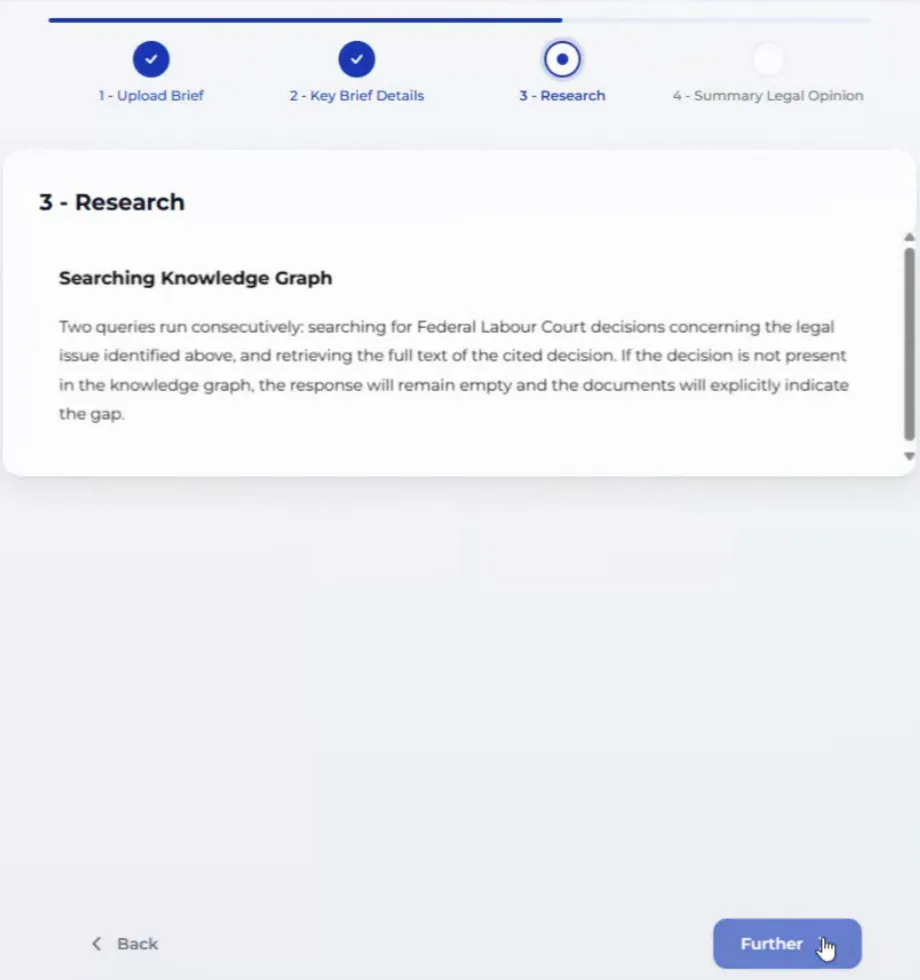
The bot reads the brief on its own, no button needed, and the extracted legal issue and docket number appear in a short results table. From there the knowledge-graph search runs automatically; if the cited decision isn’t in LexGraph, that gap carries straight through instead of stalling the flow.
Legal opinion and reply draft
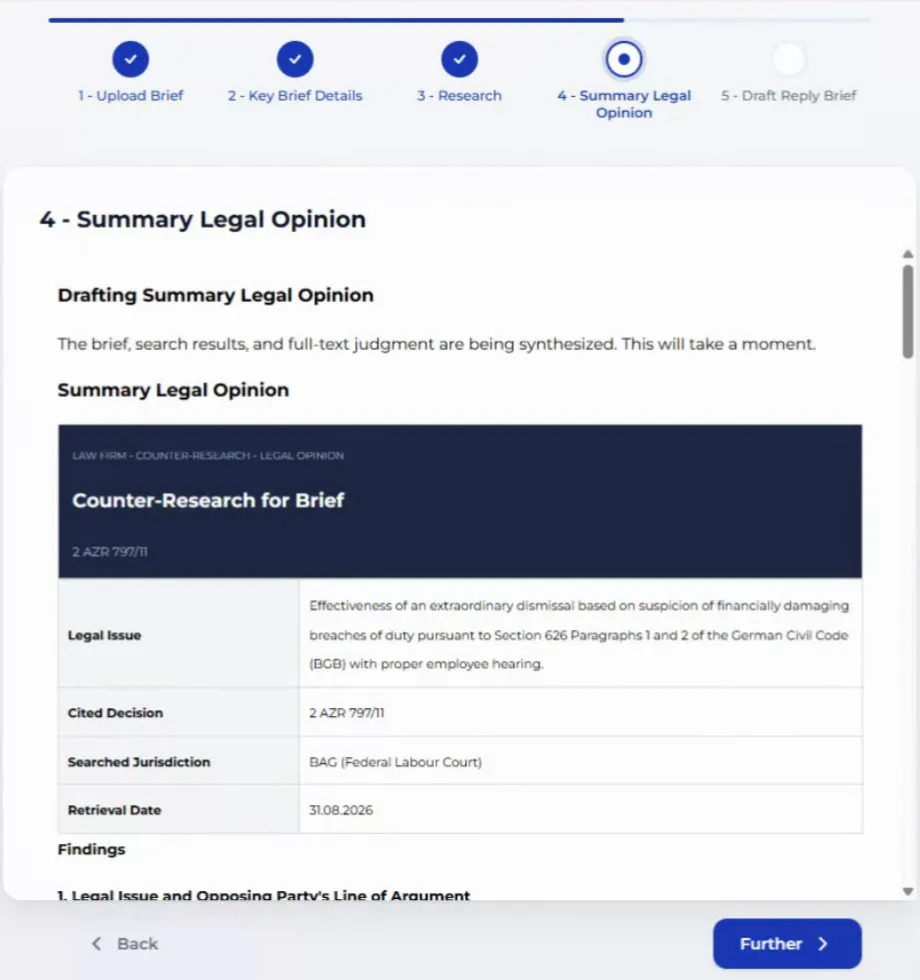
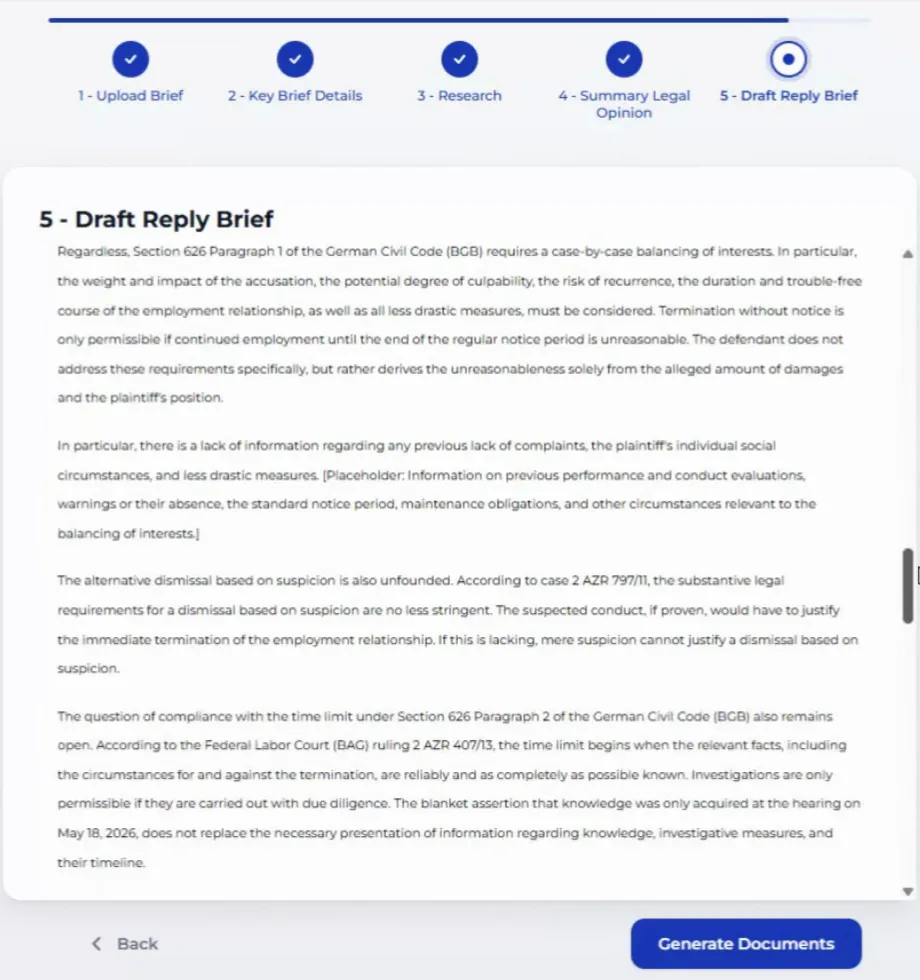
The short opinion appears next: a header with the docket number, a small table with the legal issue, the cited decision, the court searched, and the retrieval date, followed by the four-section findings underneath. The reply draft that follows takes the same shape, filing header first, then the argument itself, with the section addressing the cited decision built directly into the reasoning rather than tacked on at the end.
Downloading the documents
One click generates both files: the short opinion as a PDF, the reply as a Word document, ready to drop straight into the case file.