Civil Law Deadline Calculator: No more manual deadline hassle
The Civil Law Deadline Calculator turns a single event, like the service of a judgment, into a complete, dated list of the deadlines that follow under German civil procedure. It automatically shifts deadlines off weekends and public holidays, adds an advance-notice date for every deadline, and produces a ready-to-file PDF deadline sheet in under a minute.
Data Entry
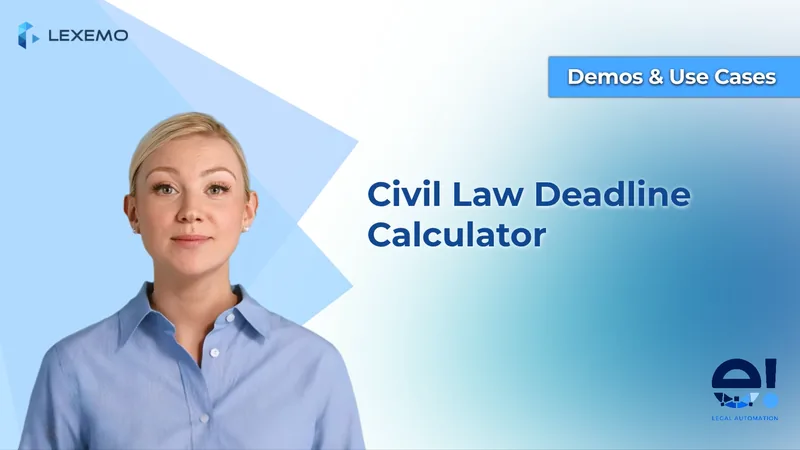
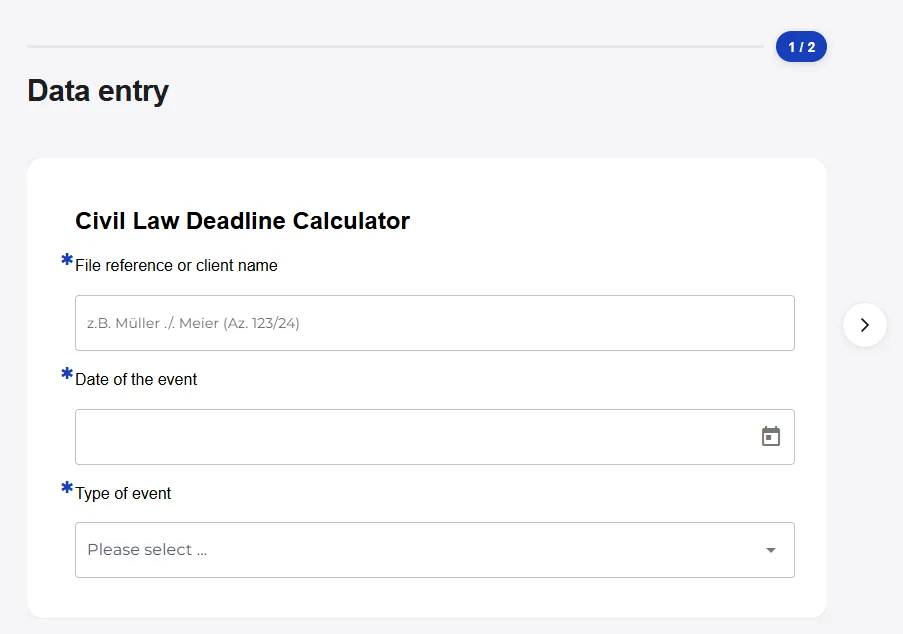
The bot opens with a short data-entry section with only three inputs:
- A free-text field for the case reference or client name, so the result can be filed against the right matter
- A date picker for the event date, the day the clock starts
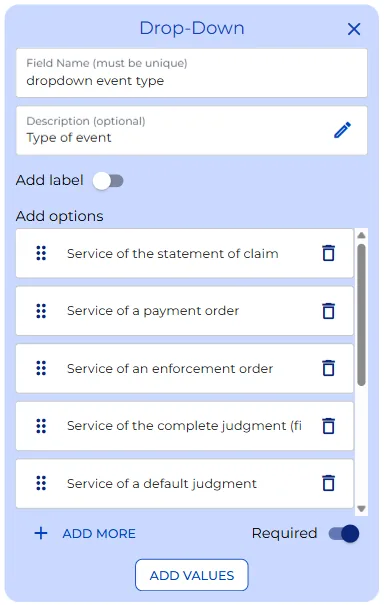
- A dropdown listing the civil-law events the bot knows: the service of a statement of claim, a payment order, an enforcement order, and more
The dropdown is the natural place to add or rename events if your practice needs others.
AI Deadline Calculation
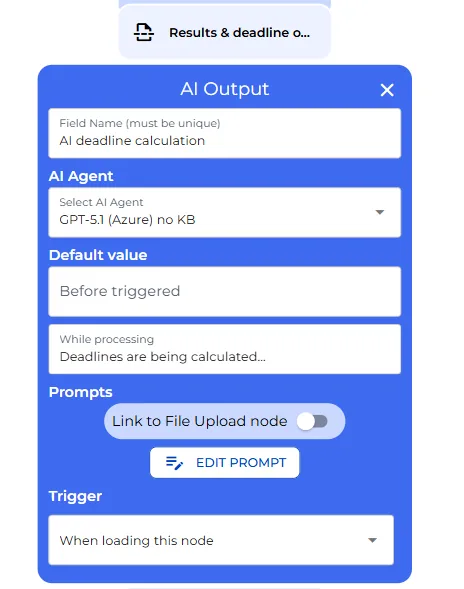
The following steps happen automatically. As soon as the three fields are filled, the AI starts calculating. It acts as a specialist in German civil and procedural law, and its single job is to calculate the deadlines exactly.
What it calculates depends on the event chosen. For a judgment it works out the period to file an appeal and the longer period to provide the grounds. For a payment order or a default judgment it applies the two-week objection window. For a court order it handles the immediate-appeal period. For the accrual of a claim it applies the standard three-year limitation running to the end of the year. For a pleading, where the deadline is usually one the court sets individually, it says so plainly instead of inventing a date.
Weekend, Holiday, and Advance-Notice Handling
Two things make the result reliable enough to diary. First, the bot checks whether a calculated deadline lands on a Saturday, a Sunday, or a nationwide public holiday, and if it does, it moves the date to the next working day. That next-working-day rule, § 193 of the German Civil Code, is applied automatically. Second, it never gives only the final date. It also adds an advance-notice deadline a set time earlier, so the date reaches your calendar with room to act.
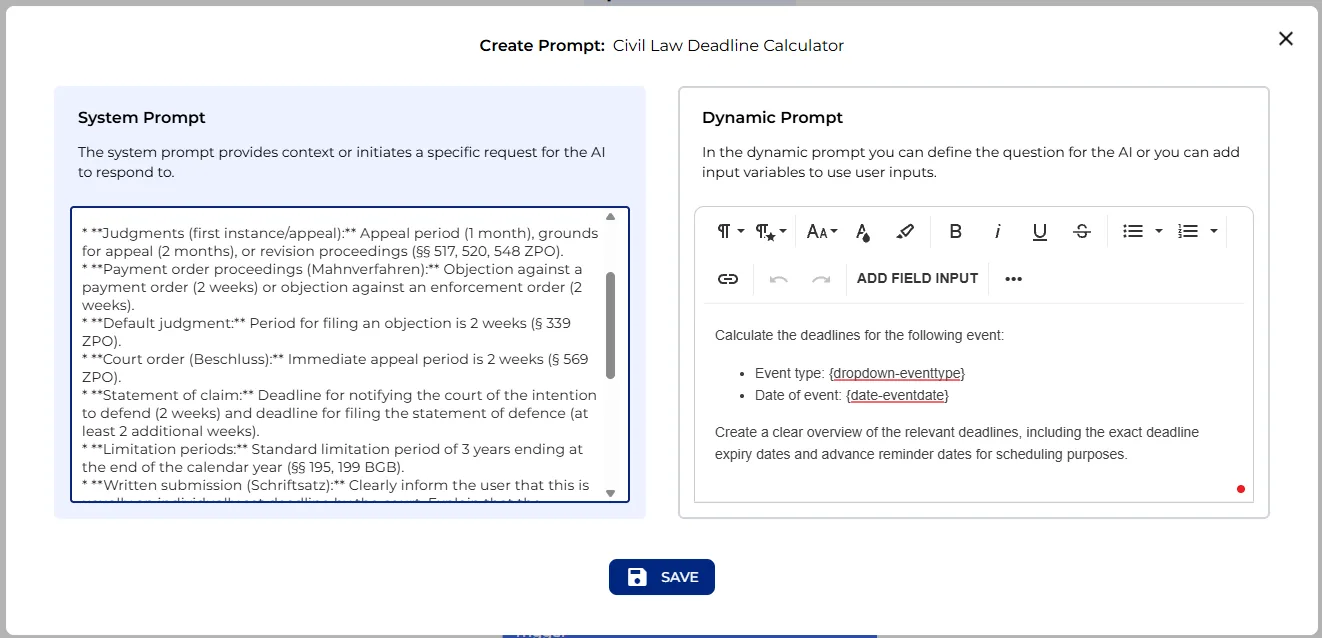
All of this behaviour lives in one editable system prompt. If your firm calculates a deadline differently, wants a different advance-notice window, or needs an additional event type, this is the single place to adjust it. The prompt reads:
You are a legal expert in German civil law and civil procedure law (German Civil Code (BGB), German Code of Civil Procedure (ZPO)). Your task is to calculate legal deadlines accurately.
Depending on the type of event, you must apply the correct statutory provisions:
- Judgments (first instance/appeal): Appeal period (1 month), grounds for appeal (2 months), or revision proceedings (§§ 517, 520, 548 ZPO).
- Payment order proceedings (Mahnverfahren): Objection against a payment order (2 weeks) or objection against an enforcement order (2 weeks).
- Default judgment: Period for filing an objection is 2 weeks (§ 339 ZPO).
- Court order (Beschluss): Immediate appeal period is 2 weeks (§ 569 ZPO).
- Statement of claim: Deadline for notifying the court of the intention to defend (2 weeks) and deadline for filing the statement of defence (at least 2 additional weeks).
- Limitation periods: Standard limitation period of 3 years ending at the end of the calendar year (§§ 195, 199 BGB).
- Written submission (Schriftsatz): Clearly inform the user that this is usually an individually set deadline by the court. Explain that the deadline is calculated from receipt/service, but do not provide a fictional expiry date unless an assumption is explicitly made (e.g., a 2-week period).
You must always check whether the calculated deadline falls on a Saturday, Sunday, or nationwide public holiday in Germany, and apply § 193 BGB (extension to the next working day).
Provide the specific calendar date on which the deadline expires and include clear warnings about advance reminders (e.g., noting the deadline one week before it expires).
Format the response in simple HTML (e.g.,
<p>,<ul>,<li>,<strong>) without Markdown such as```html.
Deadline Sheet and PDF Export
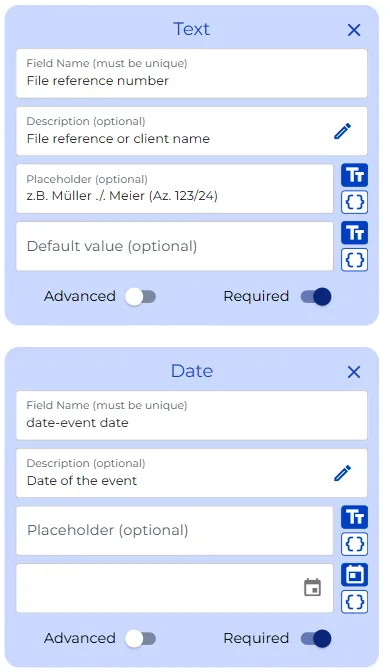
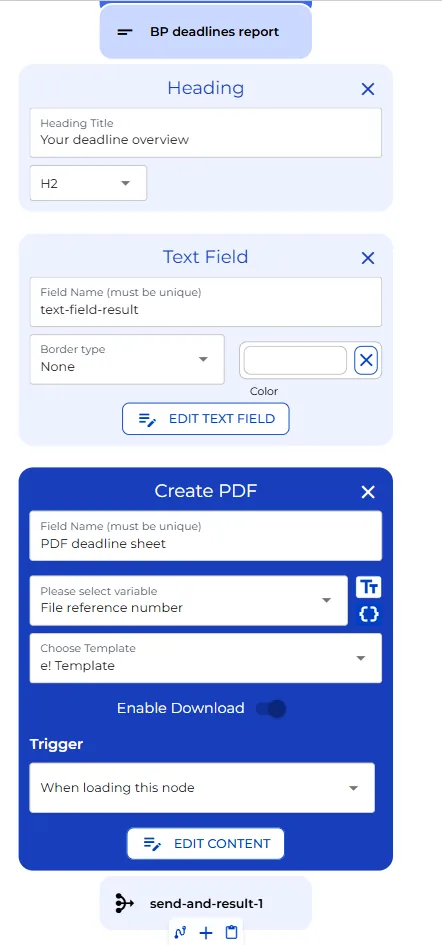
The bot assembles a clean deadline sheet that combines the case reference, the event, and the calculated deadlines into one document, and appends the standard note that a machine calculation does not replace a lawyer’s own check. That sheet is shown on screen and is also turned into a PDF, named automatically after the case reference, ready to drop into the case file. A completion screen closes the workflow, and the run is counted in the bot’s usage statistics.
User View
On the user’s side, the bot is deliberately simple. It opens on the data-entry screen under the heading “Civil Law Deadline Calculator.” The user types a case reference, for example “Müller versus Meier,” picks the date of the event, and chooses the event type from the dropdown, say the service of a first-instance judgment.
That is all the input the bot needs. The result section loads and the message “Calculating deadlines” appears while the AI works. After a moment the deadline overview appears: the appeal deadline and the grounds deadline with the exact date, each with its own advance-notice date, and a note wherever a date was shifted off a weekend or a holiday.
The same information is laid out as the deadline sheet, and the PDF is generated automatically under the case name. The user downloads it, adds it to the file, and clicks to finish. If your document management has an API, this filing step could also be automated and integrated into the workflow. From a single date to a filed deadline sheet in under a minute.