Approval Node Tutorial: Add Human Review to Legal Bots
Add an Approval node to your Legal Bot to enforce human review and four-eyes sign-off before processing. Ideal for contracts, compliance, and procurement.
Obtaining approvals from various departments can sometimes feel like an arduous process. To alleviate this challenge, we’ve developed the “Approval Node”. This tutorial will guide you on how to utilize the “Approval” functionality, allowing your bot to automate the process of requesting approvals from your colleagues.
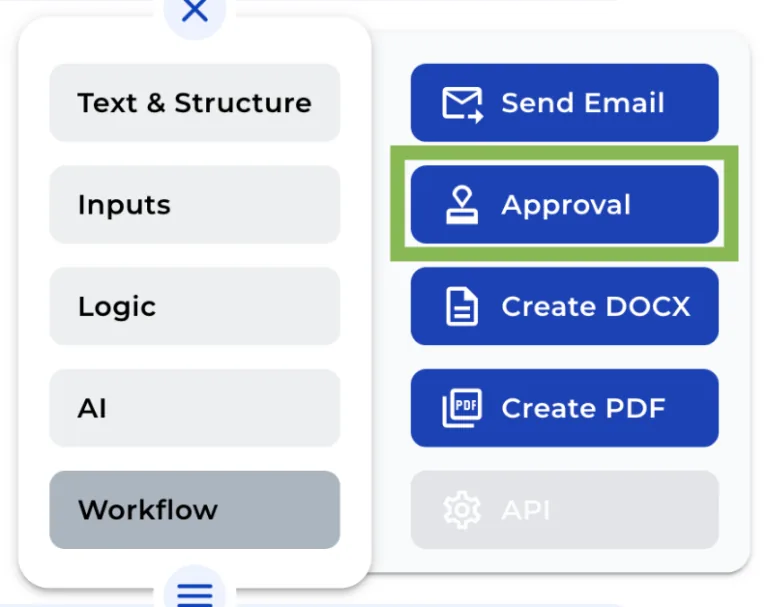
Step 1: Add the Approval Node
The first step is to introduce the Approval Node to your bot. This can be done via the Workflow section of the “+” menu.
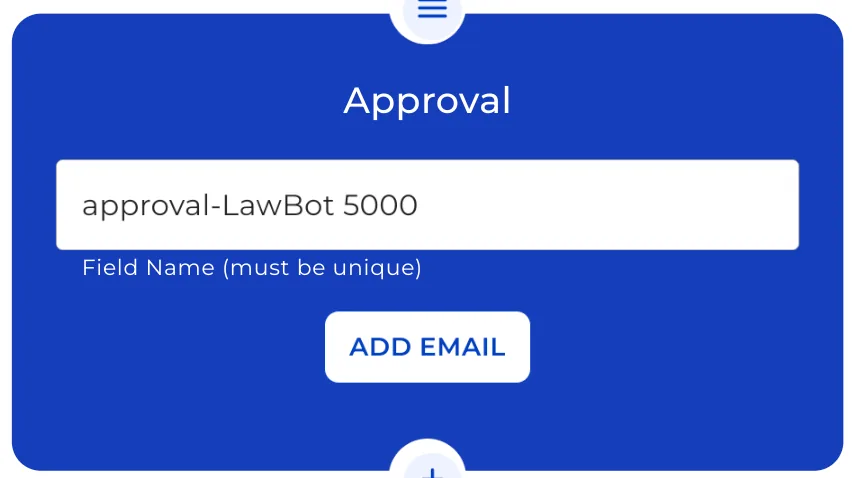
Step 2: Modify the Field Name
The next step is to personalize the Approval Node by changing its field name. This will serve as an internal reference and will not be seen by the end user.
Step 3: Construct the Email
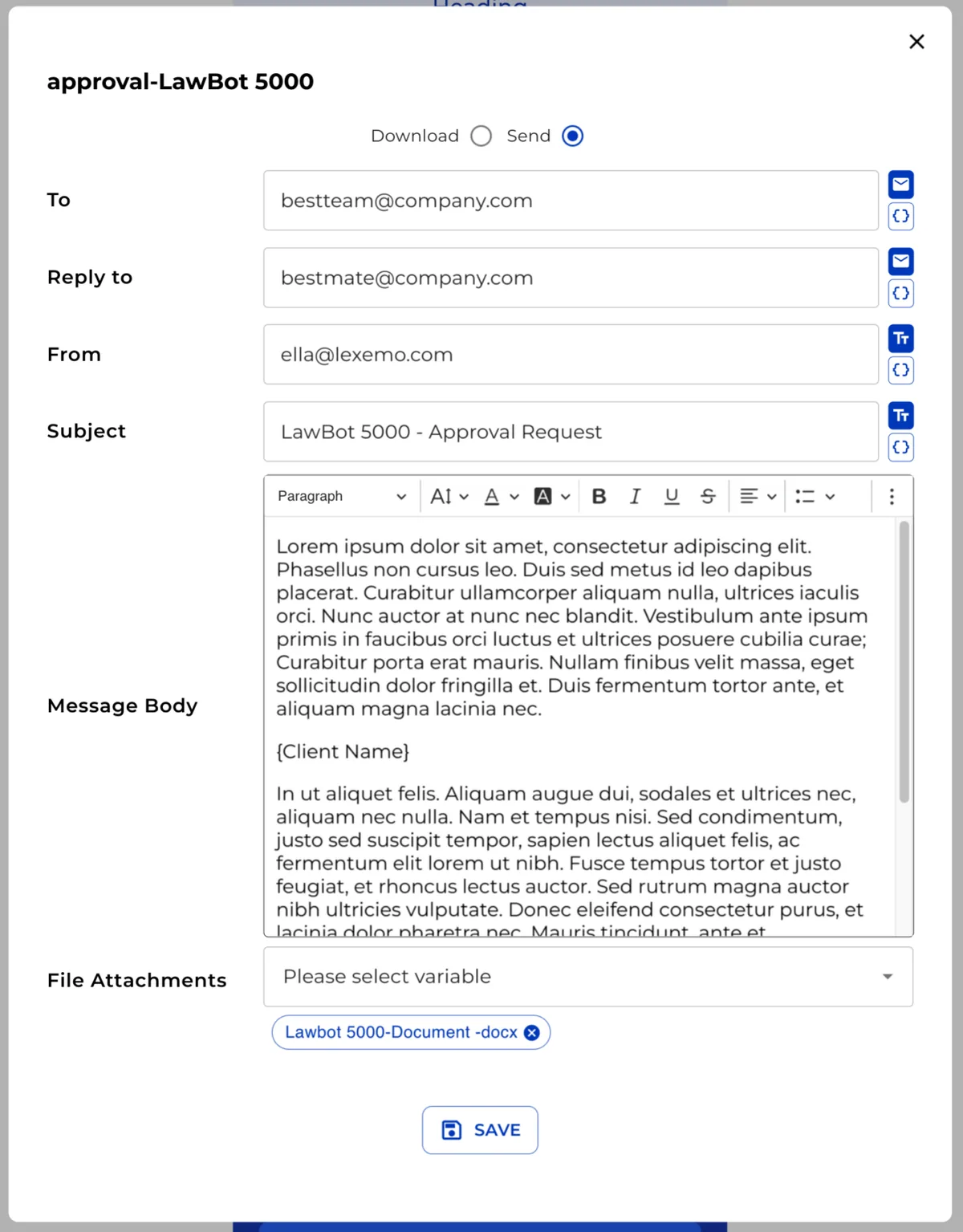
Now we move on to constructing the email. Click on “Add email” to begin tailoring your message.
Choose the Delivery Method
Initially, you need to decide how you want the email to be received. Select “Download” if you want your recipient to get an “.eml file” draft of the email, or “Send” if you prefer to send a fully prepared email.
Input Email Addresses
Then, input the relevant details in the fields “To”, “Reply to”, and “From” to ensure the email is sent to the correct recipient.
Add the Email Subject
Next, add the “Subject” to the email, making sure it clearly communicates the purpose of the email.
Compose the Email Body
This step involves writing the body of your email. Use the text editor to give your email the desired appearance and tone.
Add the Attachment Variable
Finally, incorporate the variable of the attachment that you wish to include in the email.
Congratulations, you’ve successfully set up your Approval Node! With these simple steps, the process of requesting approvals should now be a much smoother and quicker process. We hope this tutorial has been helpful, and we look forward to guiding you through more features in future tutorials. Happy automating!