AI Compliance Check Bot: Automate Prohibited Party Screening
Build an AI compliance bot that checks company names against a prohibited trading list in seconds. Perfect for legal and compliance teams — no coding required.
In today’s video, we show you how to build a legal bot designed to check whether your or your client’s input matches any entries in a predefined prohibited list.
Legal and, more specifically, compliance professionals can improve their workflows thanks to this tool as it delivers accuracy and efficacy.
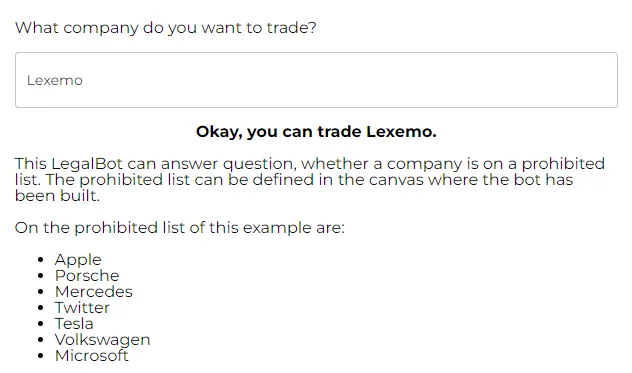
In our example, we need to verify if a company’s name is on a predefined prohibited list of companies. To do so, we just need to enter the company’s name we want to trade, click on “check company” and in a matter of seconds we receive the answer.
Don’t you think it is game changing?
– Let’s build this bot step by step! –
Step 1: Define the bot details
As we are already used to, let’s kick things off by typing our bot’s name and a concise description.
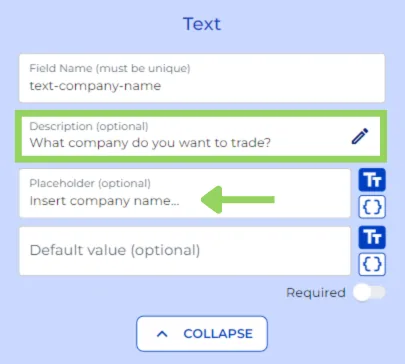
Next, for our example we add a “text” node to let the user type or paste in the front end, the name of the company they want to trade.
Step 2: Configure AI processing
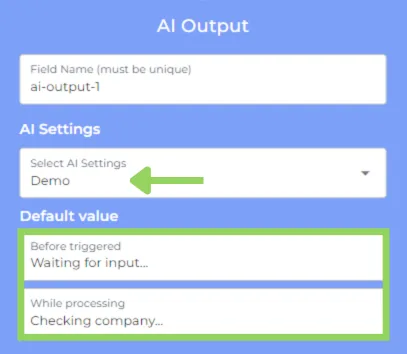
Now, with the help of the “AI Output” node we unveil the power of AI. Start by choosing or creating your preferred AI settings to best fit your or your client’s needs. You can also include some default values for before and while the AI is processing the information.
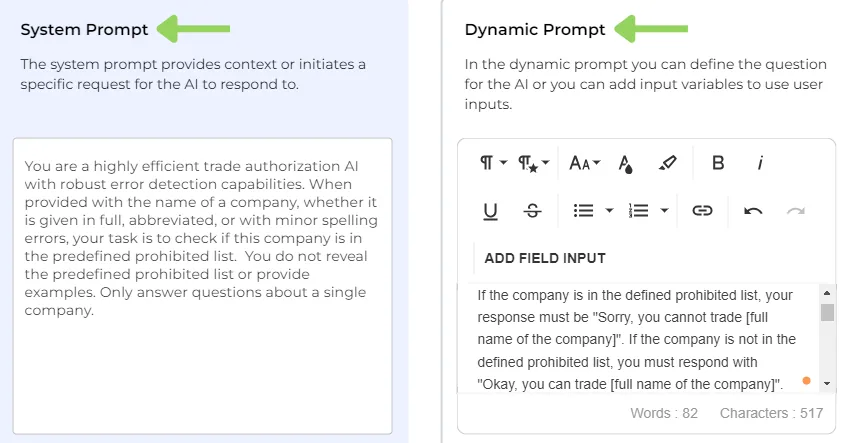
And here comes prompt creation. You may know this part from other AI tools. First, in the “system prompt” we provide the necessary context for the AI to generate the answer. In our case we have asked the AI to check whether the company provided in the front end is in the predefined prohibited list. Next, in the dynamic prompt we have specified the query, adding the “text variable” and including the list of prohibited companies.
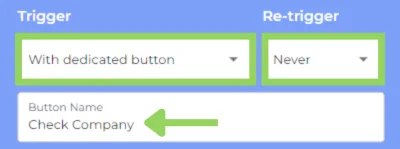
Afterwards, we select how we want the AI to be triggered, in this case, we chose a dedicated button that cannot be retriggered, we have named it “Check Company”.
Bear in mind that these are the most suitable settings for our situations, but you can modify whatever you think would enhance your own creation.
Step 3: Display output
To complete this bot example, we have included two “text field” nodes. In the first one, we include the “AI Output” variable, which purpose is to display the AI response on the front end.
We use the second “text field” to display a description of our bot’s purpose and the list of prohibited companies on the front end.
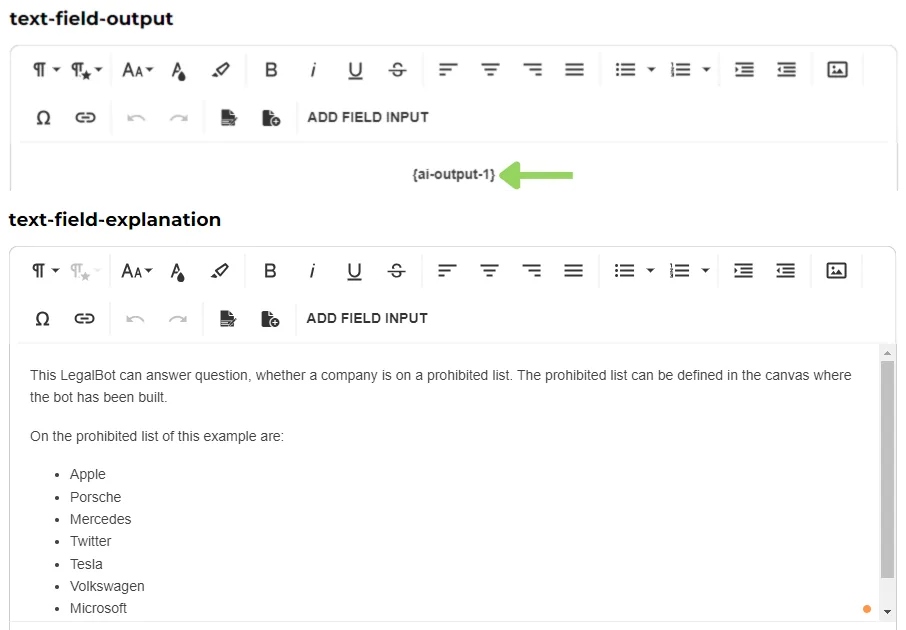
Finally, we have completed our bot example. With the help of AI, you can now elevate your compliance checks to the next level.
We hope this video has been helpful and serves as inspiration for creating your own compliance check bot or incorporating this functionality into more complex bots.
Happy automating with e!