How to Use the Source Node to Trace AI Outputs in Lexemo e!
Add the Source Node in e! to display the exact document source behind every AI result — with clickable chunks, cosine similarity scores, and full traceability.
Source Node
We are thrilled to introduce you to Source Node, a powerful feature designed to enhance transparency and reliability in the responses generated by large language models (LLMs).
This feature enables users to trace the origins of the information provided, identifying specific sources from which the data was derived. By offering access to source information, users can verify the accuracy and credibility of the content generated by the LLM. In essence, Source Node significantly improves the usability and reliability of LLMs by fostering trust and enabling better decision-making.
User Interface Overview
Let’s explore how this function appears in the user interface. For demonstration, we will utilize an NDA Inbound Analysis automation bot.
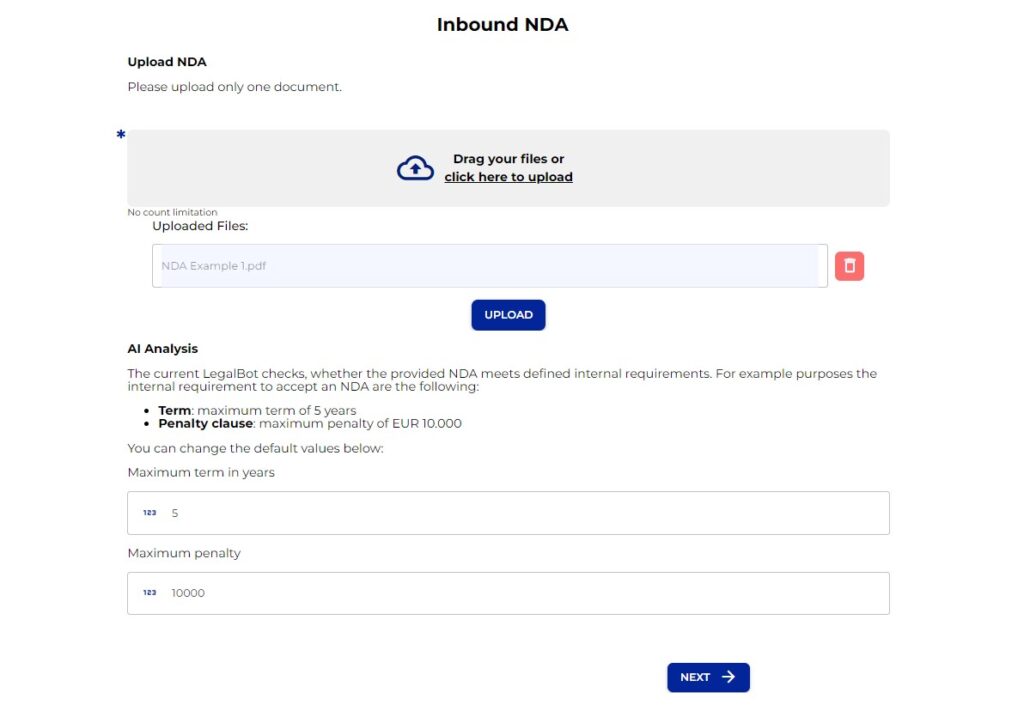
- Upload Document: Begin by uploading an NDA for analysis regarding Terms of Contract and the Penalty Clause. Click on Upload, then proceed by clicking Next.
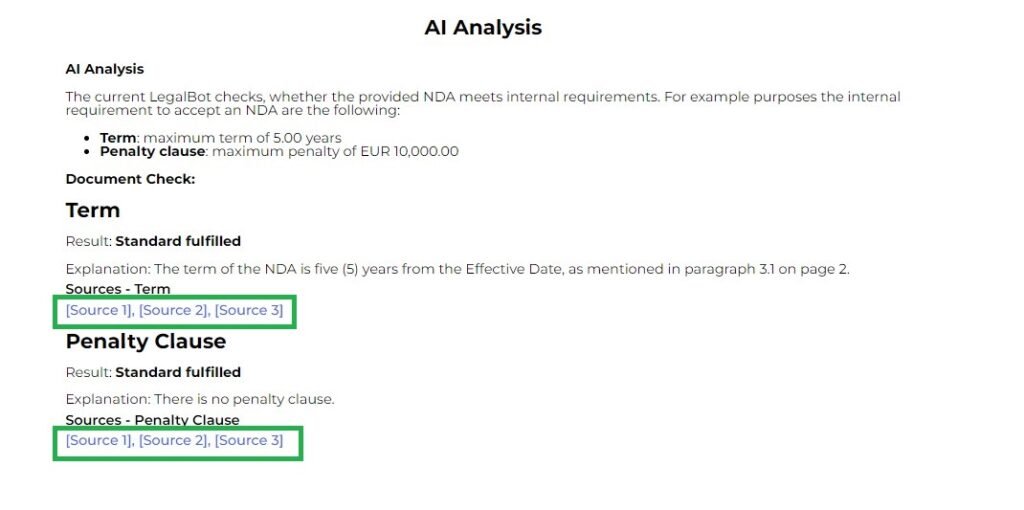
- AI Processing: As the AI scans the document, results are generated under each category—Terms and Penalty Clause.
- Source Listings: You will find sources listed under each category. Click on these sources to see detailed information.
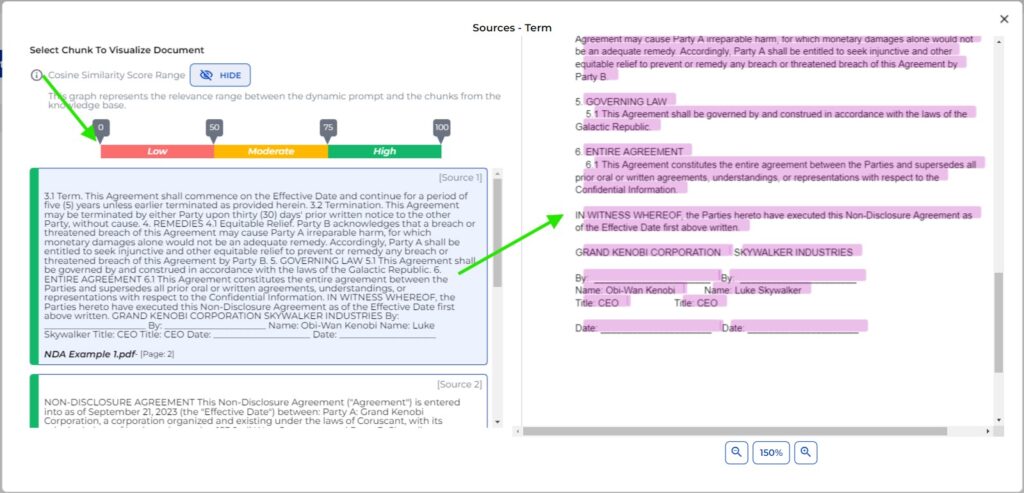
Cosine Similarity Score Range
By selecting the Cosine Similarity Score Range, you can observe border colors around each chunk listed below. Each chunk corresponds to a specific source, and clicking on it highlights the relevant section in the NDA on the right side.
Understanding Source Nodes
Now that we know what the end result looks like, let’s delve into how the Source Nodes are structured.
Key Considerations
- Connection to AI Output: Each Source Node is directly related to an AI output node.
- Knowledge Base Requirement: A knowledge base is essential for effectively utilizing Source Nodes.
- Prompt Accuracy: Ensure that both System-Prompt and Dynamic-Prompts are accurately written for optimal results and relevant source listings.
Exploring AI Output Nodes
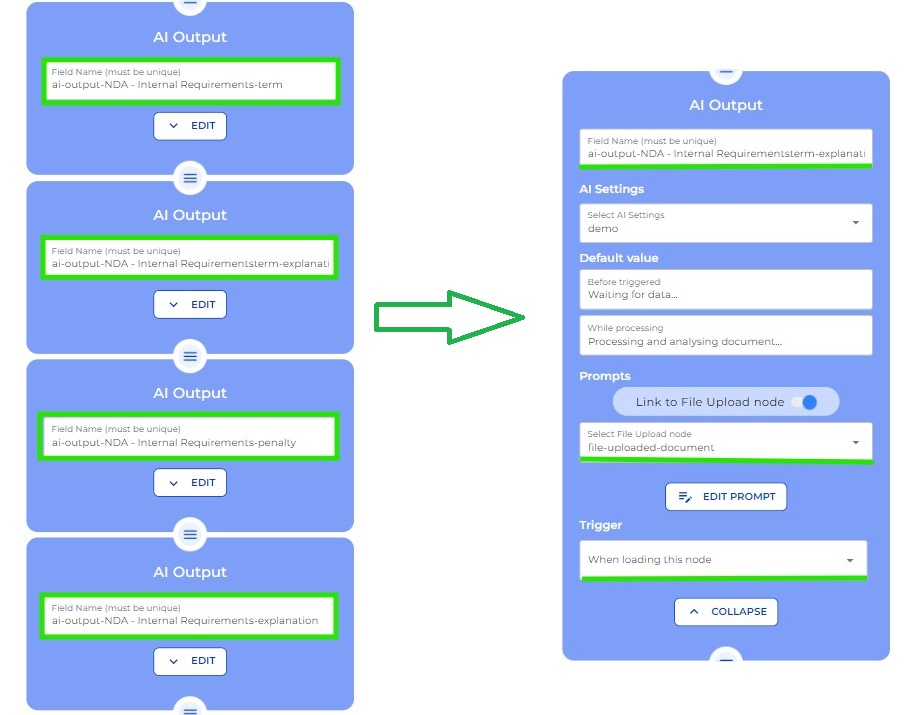
In our NDA Inbound Analysis automation using Source Nodes, let’s examine the AI Output nodes and their prompt settings:
- We have four AI Output nodes:
- Internal Requirements Term
- Internal Requirements Explanation
- Internal Requirements Penalty
- Explanation of Penalty
Prompt Formatting
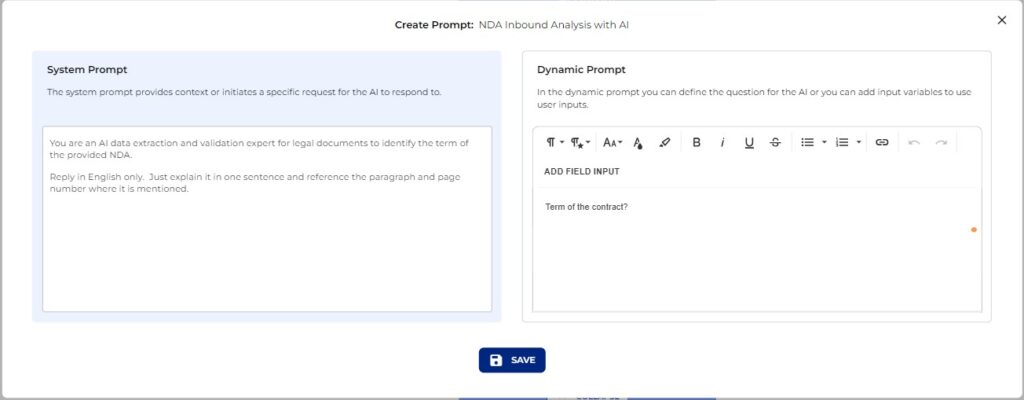
The prompts for these nodes must be formatted correctly:
- System Prompt: Should include:
- Guidelines for effective analysis
- Specifications for presenting analysis
- Directions on tone for communicating findings
- Additional details supporting accurate interpretation
- Dynamic Prompt: Should focus on context-specific queries directly related to the task at hand.
Reminder
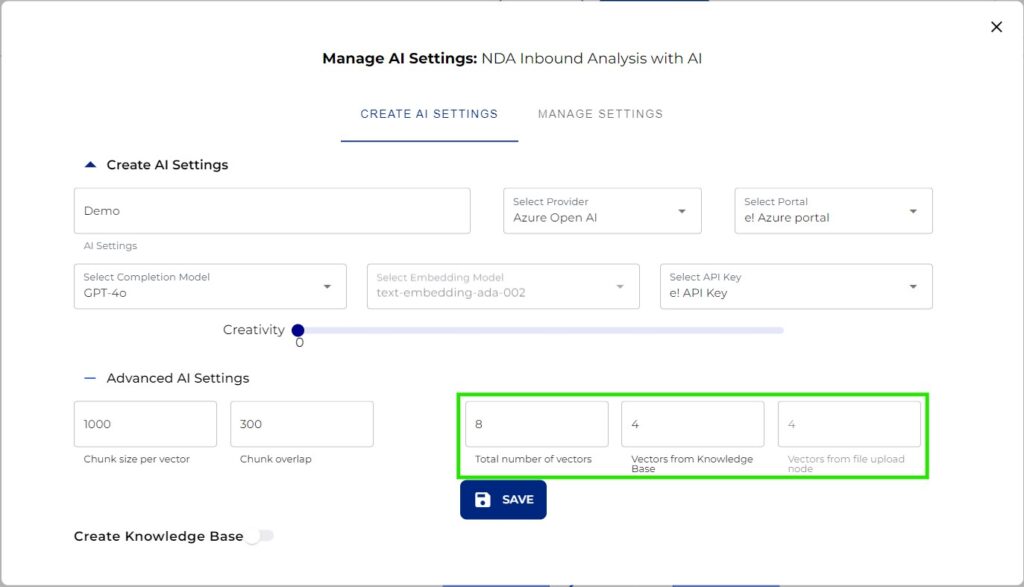
The sources displayed in the output align with settings from vectors in your Knowledge Base and those selected in the Advanced AI Settings of your AI output node.
Configuring Source Nodes
With AI settings established, let’s configure the Source Nodes:
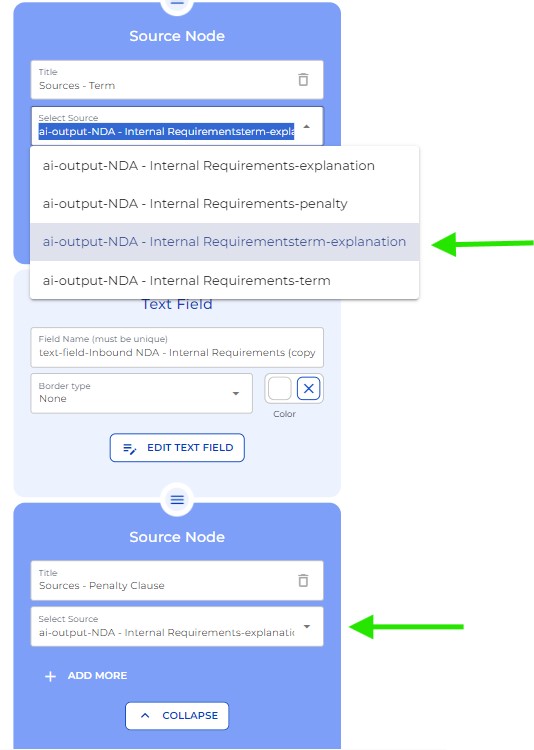
- Add Source Nodes: Create a Source Node for each category—Terms and Penalty Clause.
- Title Section: This is a free field; name it as per your preference (e.g., Sources Term).
- Select AI Output Node: From the dropdown, choose the correlating AI output node (e.g., NDA – Internal Requirements Term Explanation).
- Repeat for Penalty Clause: Name it accordingly and select the relevant AI Output node.
We hope this tutorial has been helpful in understanding the functionality of Source Node. Until next time, take care and happy automating!