Money Laundering Threshold: Automate AML Compliance in e!
Build a bot that checks cash transaction thresholds against AML documentation requirements — using Calculation and Logical Condition nodes in e!.
Money Laundering Threshold
Today’s video is all about figuring out cause and effect. Specifically, will learn how to check whether a cash transaction triggers additional documentation requirements.
This bot’s capabilities highlight a crucial skill for anyone handling cash transactions. It demonstrates a keen awareness of regulations, promotes efficiency, and enhances financial security. Just think about how helpful this can be!
The first step is to select the type of transaction. Next, enter the cash amount and immediately after, a checkbox will appear to indicate if additional documentation is required.
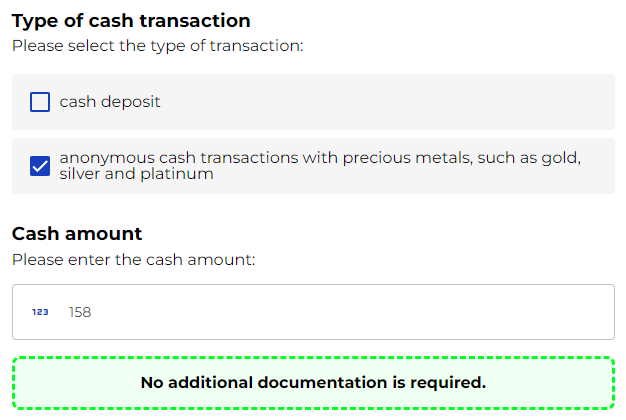
Step 1: Choose your transaction
First off, as always, type your bot name and a brief description.
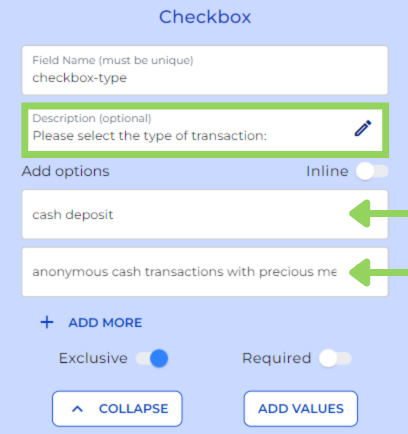
Next, we need a checkbox node where clients can select the type of transaction in the frontend. For this example, the options we have added are “cash deposit” and “anonymous cash transactions with precious metals, such as gold, silver, and platinum.” However, you can adapt these options to fit your specific standards.
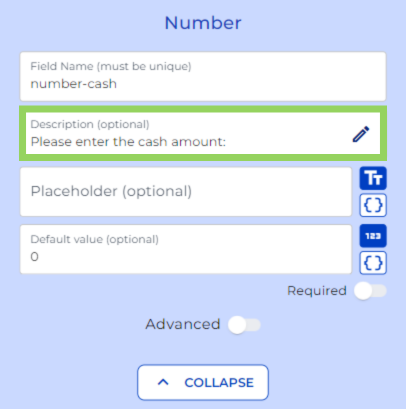
Afterwards, we include a number node asking the client to enter the cash amount.
Step 2: Conditional Flow
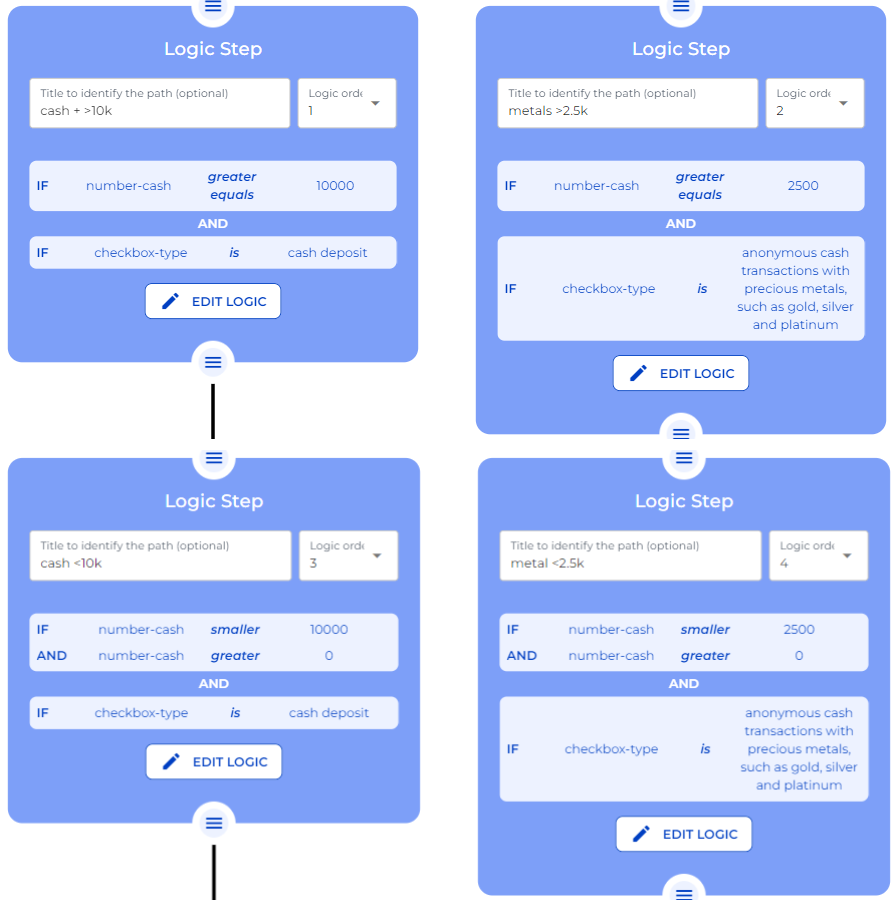
Right below we add a logical condition. This condition helps set different thresholds based on the selected transaction type from the checkbox and the cash amount entered in the number node.
We build these conditions in a way that depending on the options chosen from the checkbox and the selected number, the user follows different paths. For this example, if user selection in frontend is cash deposit and the number greater equals 10000, for anonymous cash transactions with precious metals, such as gold, silver and platinum and the value is 2500 or more, then additional documentation would be required.
To notify user in frontend that more information needs to be provided, we have added a Text field node displaying the notification.
Step 3: Displaying your result
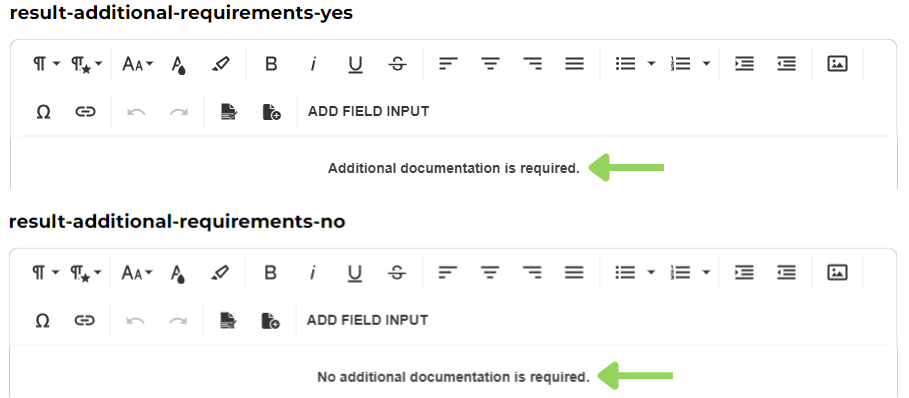
We have reached now the end of the bot. After the first two logic steps we include a text field node indicating that additional documentation is required.
While after the last two logic steps the text field indicate that no additional documentation is required.
And just like that we have successfully created an automated system to detect cash transactions with specific documentation requirements.
Happy automating with e!