How to Format a CSV File for Legal AI Training in e!
Learn how to download, format, and upload a CSV file to train AI in your Legal Bot — covering column structure, value formatting, and common errors to avoid.
CSV file requirements
In this video, we’ll walk you through the crucial steps to create a CSV file that meets the criteria for training AI in legal tech. This guide will help you understand the key aspects to focus on during this process.
Step 1: Downloading the CSV Template
Whether you’re creating a new CSV for your dataset or updating data after modifying your legal bot, begin by clicking the “Download CSV Template” button. This action will trigger an automatic download of a CSV file to your computer.
Step 2: Understanding the Template Structure
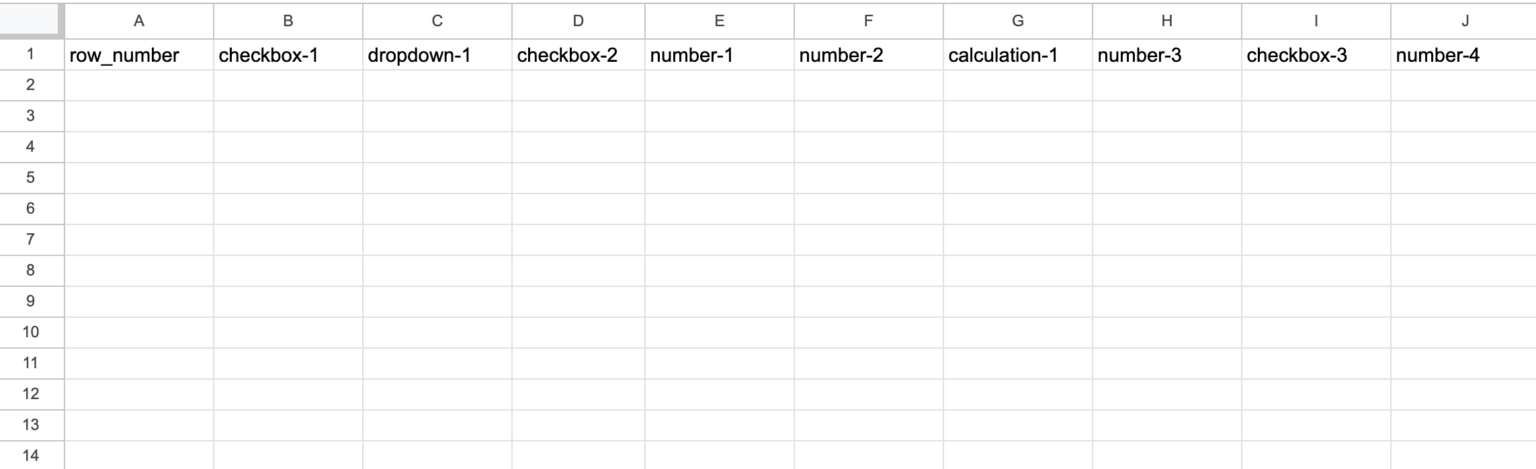
Upon opening the template in Excel, you’ll notice that the columns are pre-filled with the input node names of your bot. Your next step involves transferring data from your existing Excel file to this CSV template. It’s crucial not to modify the column names and to accurately paste the corresponding data under each designated column.
Step 3: Adhering to Data Requirements
This is a key section. We’ll outline the proper way to enter data into the template by using Excel.
a) Row Numbers Column
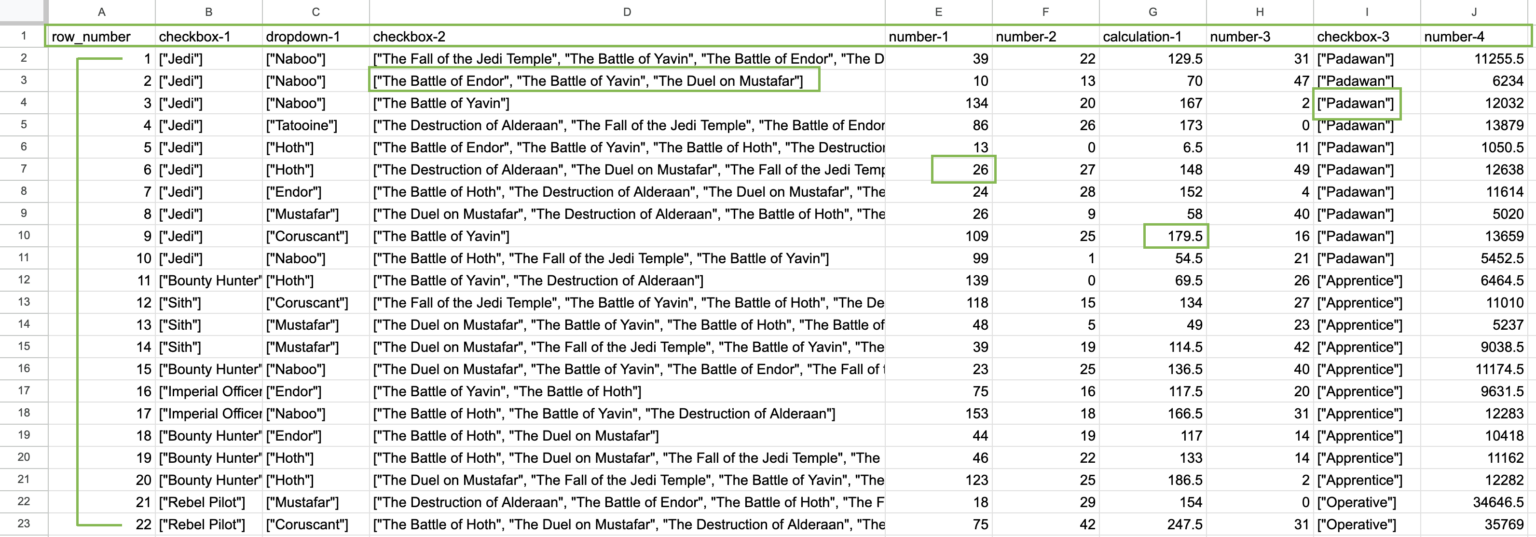
The first column is reserved for row numbers. Make sure this column only contains order numbers, starting from “1”.
b) Formatting Values
Data should be formatted as follows:
- Exclusive data: Enclose values in brackets and vertical quotes, i.e.,
["value1"]. - Non-exclusive data: List values in brackets, each in vertical quotes, separated by commas, i.e.,
["value2", "value3", "value4"].
*Note that the difference between vertical quotes " and typographic quotes “. Make sure you use vertical quotes.
- Decimal representation: Use a period for decimal points, not a comma.
- Number representation: Note that numbers are not written in brackets or vertical quotes.
- Accuracy: Avoid missing or misspelled values, and don’t include values that were not included in the legal bot.
Step 4: Uploading Your CSV
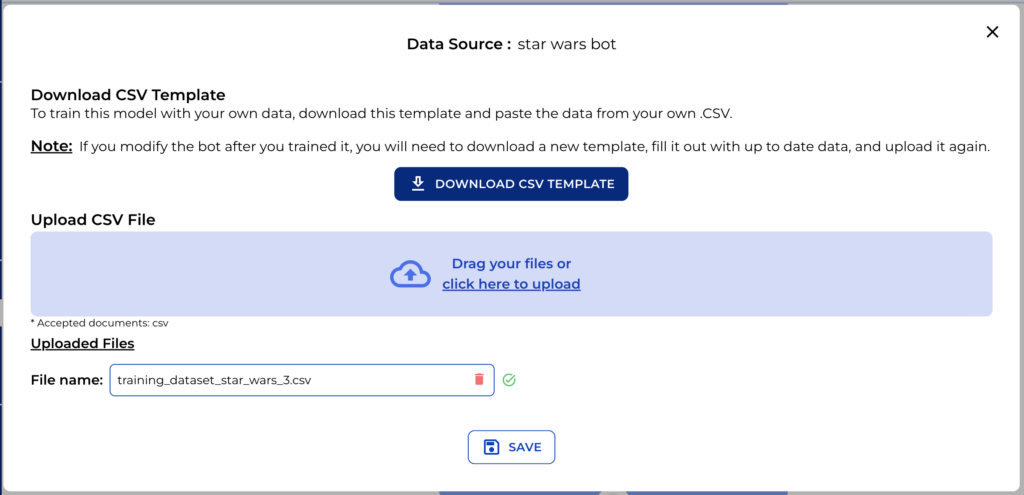
Once the template is filled up and you’ve confirmed it meets all requirements, it’s time to upload the CSV. This step finalizes the preparation of your dataset for AI training and will be ready to be uploaded, but don’t forget to evaluate the data!
To know more about how to use Prediction node, search for video tutorial “Prediction node” and get guided through all the steps to set up this node for your legal bot!