Change of Control: Detect & Explain Contract Clauses with AI
Build an AI bot that finds, summarizes, and explains change of control clauses in any contract — with exact page citations. Ideal for M&A, due diligence, and contract review.
Change of Control – Analysis
Today we explore how to use the AI to detect one or more specific clauses in a standard contract. We will summarize their content and explain it in simple terms for everyone to feel informed. We will also make it possible to exactly locate every piece of the information in the original file. Let’s take a closer look at this tool’s power in the front end by locating a “change of control” clause in a contract.
To kick things off, start by uploading your document. Let’s now click on the “check change of control” button and wait a few seconds until the AI provides its response and an annotation in which we can see the page of the document, the page content and the file name.
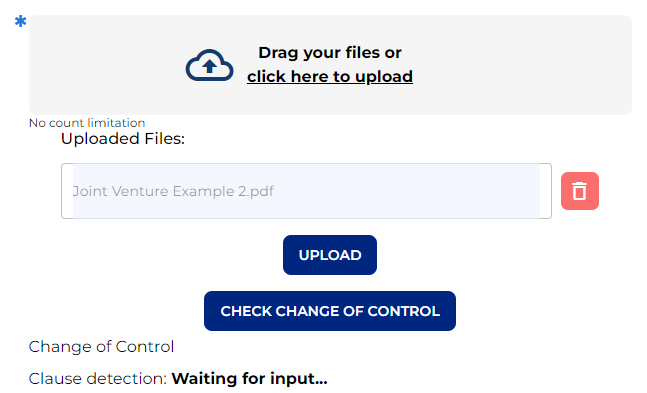
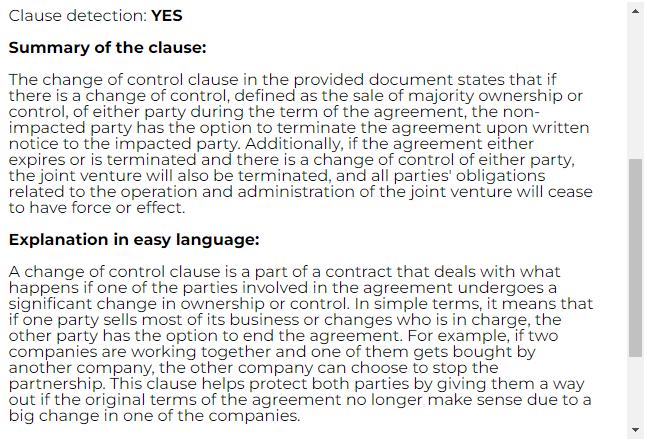
– Let’s build this bot step by step! –
Step 1: Upload & prompt
As always, let’s type a catchy name and a brief description for our bot.
Given that our bot’s purpose is to detect a clause, summarize it and explain it in easy language, the first thing that we are going to need is a “files” node. As we want the AI to analyze the document uploaded, we enable “use in AI Output” and select our preferred AI settings.
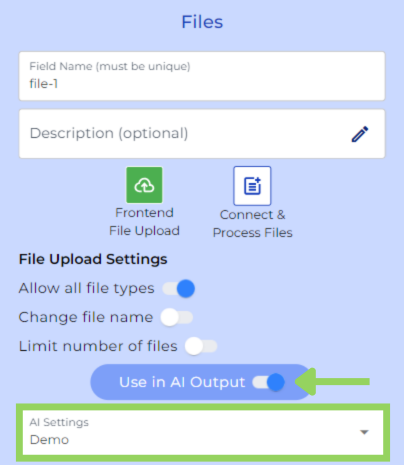
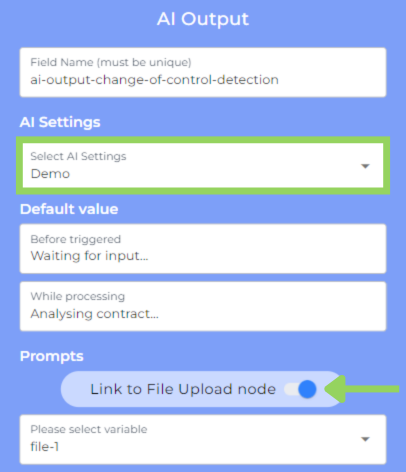
Next, we have added an “AI Output” node and for this example we are using the same AI Settings we used on the previous node. But again you can modify the AI Settings or even create new ones. This time, we need to connect the AI Output node to the previous file node. Activate the switch and choose the Files node name. The AI now has access to the contract, which will be uploaded on the frontend.
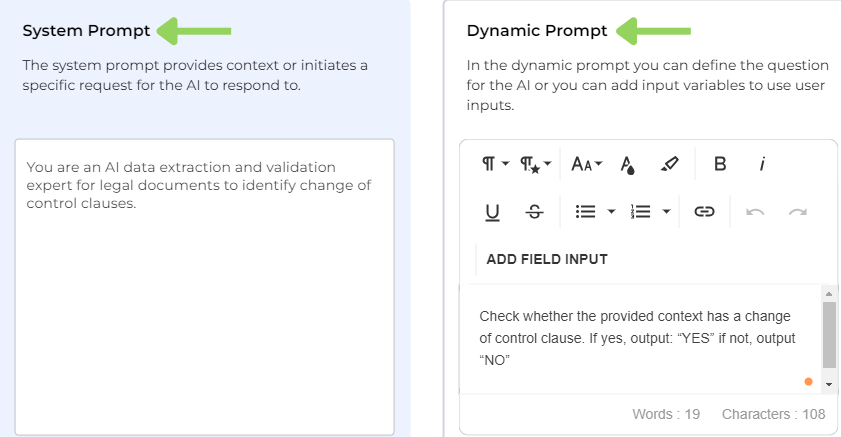
And now, the part that you have been waiting for, something familiar to you: the prompt creation. While in the “system prompt” we provide instructions for the AI, in our example to identify change of control clauses. In the “dynamic prompt” we define the query, for example to output whether the change of control clause does exist. Remember that you can adapt our prompt example according to your use case needs or create a new one.
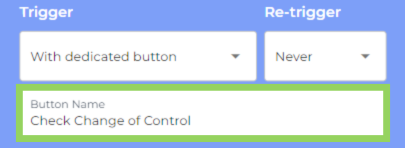
To end up with this node, let’s select how we want the AI to be triggered. For our example, we have decided to trigger it with a dedicated button which we named “Check Change of Control”.
Step 2: Detail extraction
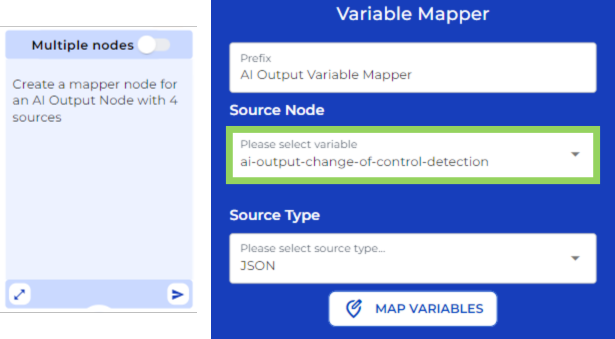
Now, also with the help of the AI, we are going to create the “variable mapper” node. The variable mapper node is used, in this case, to obtain different details about the sources that the AI uses to generate the answer we requested via prompt.
Once the AI has generated the variable mapper node, from the dropdown, we have selected the AI Output where we prompted the AI to analyze the contract and search for a change of control clause.
Step 3: Findings display
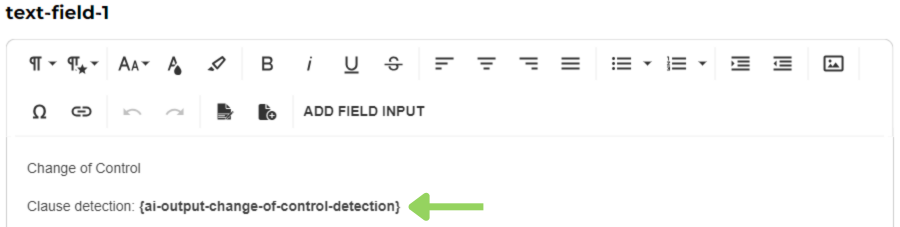
Afterwards we are going to use a “text field” node to display the detection of the change of control if there is one. For this, we need to include the “AI output change of control detection” variable.
Step 4: Logic & extraction
Right below, we have included a “logical condition” that leads two distinct paths based on whether the contract has a change of control clause or not.
If the contract does not include this clause, the bot will end up here for our client. For this reason, we have created a “Send & result” node that will save the bot’s data and show a thank you message to our customer on the frontend.
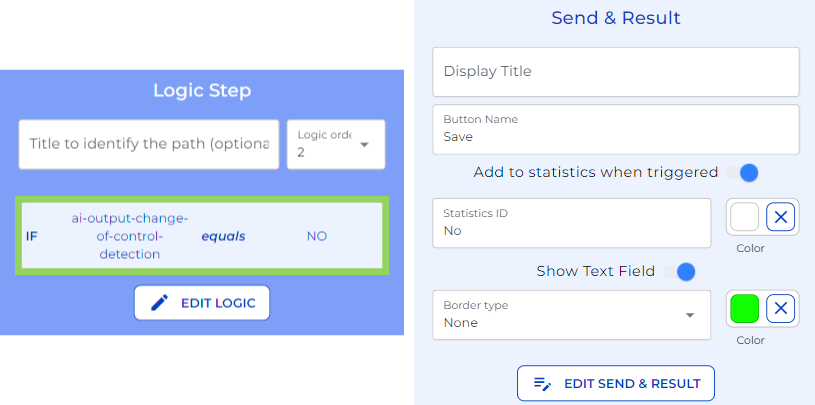
However, if the AI detects a change of control clause, the bot continues.
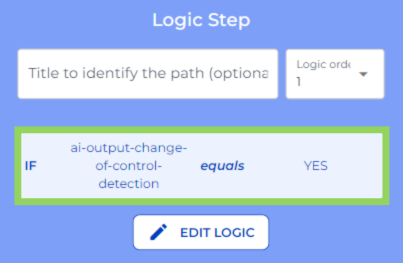
For this example, we have added three AI Output nodes that instruct the AI to extract particular information from the contract’s change of control clause. In our case, we extracted:
-
A summary of the clause.
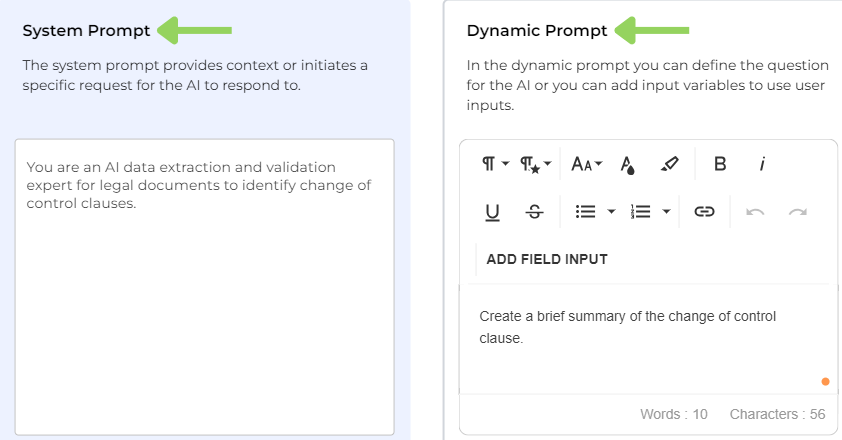
-
Information of the precise location of the clause in the original file.
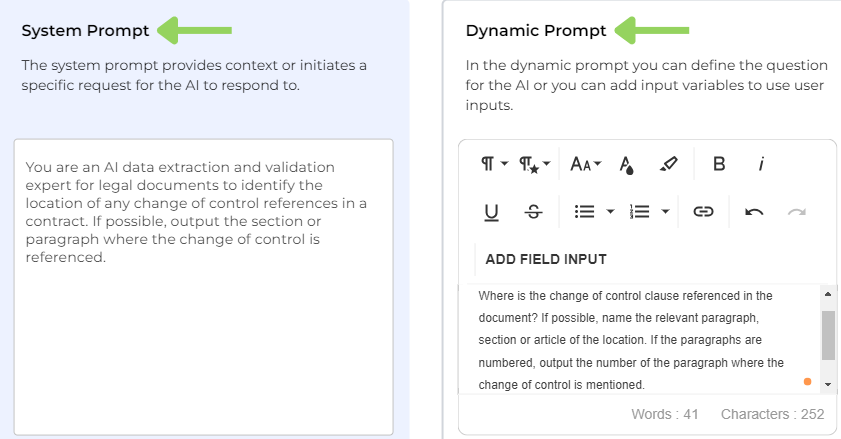
-
An explanation of the clause in simple words.
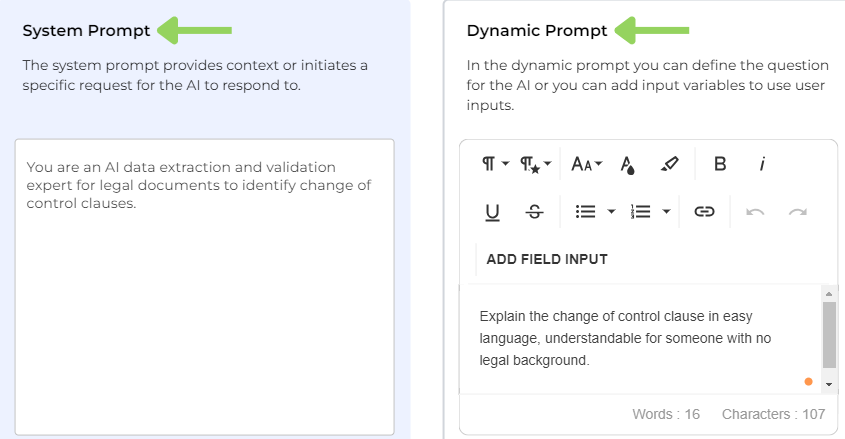
Remember that the number of AI output nodes you use and the type of data you want to extract will be determined by your bot’s purpose.
Step 5: Summary & location
To display the information extracted via the AI output node, we used a text field node with the variables of the previous three AI Output nodes.
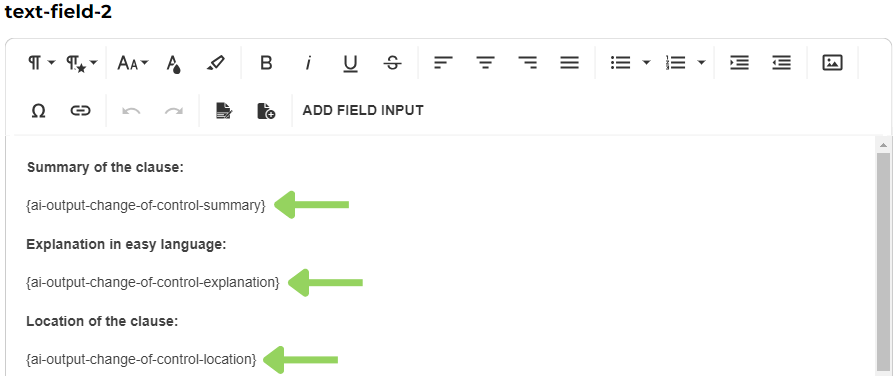
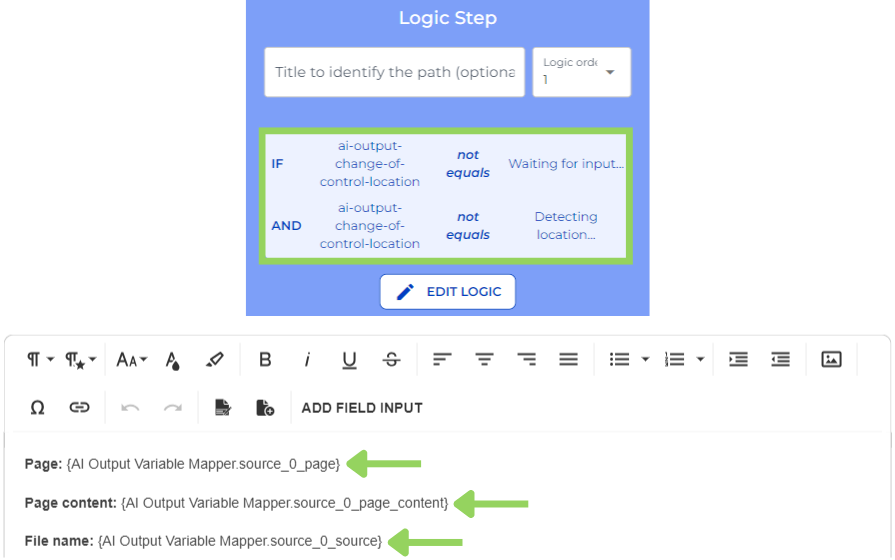
Next, we include a new logical condition. We will use this logical condition to prevent the following node, an annotation node, from appearing if the AI has not provided an answer. In this “annotation” node we include the mapper variables we created before. The purpose of this node is to display the details of the source of the information.
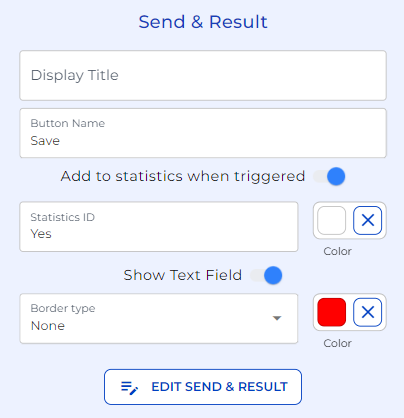
As a final node for this Change of Control Analysis example, we have included a “send & result” node to save and display the information.
Mission accomplished! You have now learned how to create a bot that can quickly find specific clauses in your standard contracts and explain them in easy-to-understand terms.
Happy automating with e!